
How to Use Plan Mode
In plan mode your agent directs the video: the look, the picture under every sentence, each graphic and its text, the cuts and the sound. Cliptude voices the narration, sources what the plan asks for and renders it. It works for Faceless Documentary, Top 10, Avatar Video and Vector Explainer.
At a glance
- You bring: a topic or script and a template in one of those formats.
- Your agent brings: the whole plan, plus a review of the build.
- Cliptude does: voice, sourcing, the build exactly as planned, and the render.
- Price: the same as making the video on the website. Checking a plan is free, and revisions on the same job cost nothing more.
- Own footage?: See Render Mode for 15 credits per minute.
1. Connect your agent and install the skills
Any agent that speaks MCP works: Claude, ChatGPT, Claude Code, Codex, Cursor and others. Connect it to the Cliptude MCP server and sign in, or use the CLI if your agent has no MCP. In Claude and ChatGPT, Cliptude's tools open pickers and cards inside the chat. Agents that show no widgets, such as Claude Code, Codex and Cursor, give you a cliptude.com/pick link with the same picker instead.
https://mcp.cliptude.com/mcp

npm i -g @cliptude/cli
cliptude auth login

npx skills add cliptude/cliptude
Connection steps for each agent are in the API docs. The skills tell the agent the workflow, so you don't have to explain it.
2. Brief your agent
Copy this prompt and fill in the brackets. The Top 10 and Avatar Video notes in section 4 apply to those templates.
Connect the Cliptude MCP server at https://mcp.cliptude.com/mcp and sign in. If you can't use MCP, install the CLI with `npm i -g @cliptude/cli` and run `cliptude auth login`. Then install the Cliptude skills: `npx skills add cliptude/cliptude`.

Make a [10]-minute [Faceless Documentary / Top 10 / Avatar Video / Vector Explainer] video about [topic]. Show me my saved templates first and let me pick one. If none fits, set one up with me using Cliptude's pickers, one at a time: voice, then the avatar or vector character, then music, background and style.

Research the topic and write the script yourself. Then plan every shot following the cliptude-plan skill. Run check_plan until the plan is valid, and show me a summary of the plan and its cost before you lock it.

After the build, open get_plan_review and look at every picture and graphic. Replace wrong, off-era or branded pictures and fill any graphic that is missing its pictures, revising on the same job. Render only after I approve, then show me the publish kit.
In Claude or ChatGPT: pick the template, then confirm
Connect the Cliptude MCP server (https://mcp.cliptude.com/mcp) and ask your agent for a video. It starts
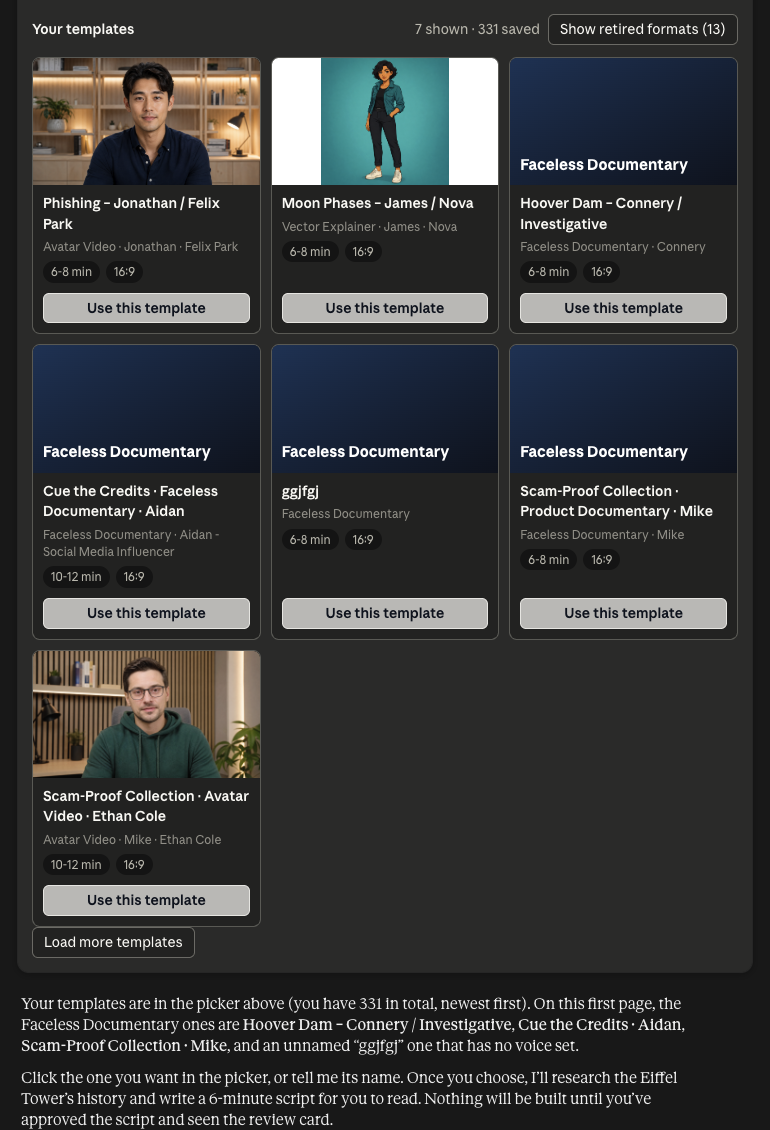
with your saved templates: in Claude and ChatGPT, list_templates shows them as a gallery. Avatar Video
cards show the presenter and Vector Explainer cards the character. Load more templates
shows the rest, and templates in retired formats stay hidden behind a button. Click
Use this template on the one you want.
If none fits, the agent builds a new one with the pickers, one at a time: voice, then the presenter (Avatar Video)
or character (Vector Explainer), then music, background and style. create_template and
get_template show the result as a template card with every setting, plus
Make a video with this template and Change something.
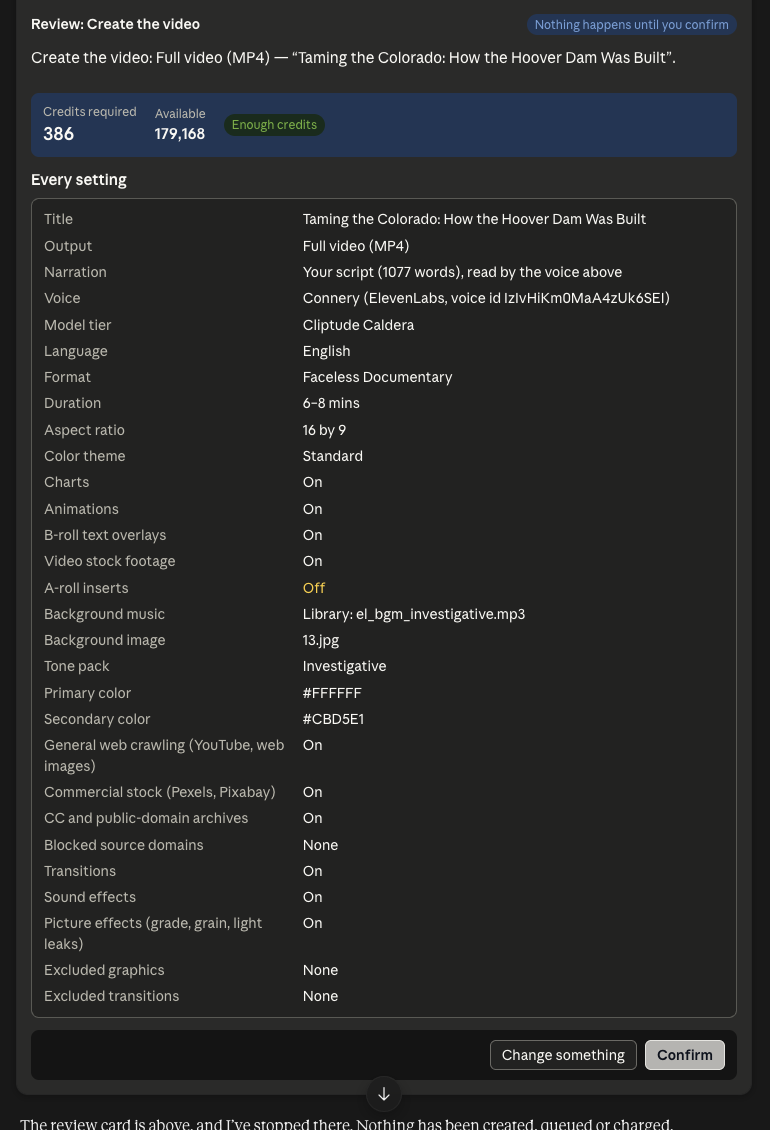
Before anything is created or charged, the agent shows the review card: every setting, any warnings, a checkbox for anything you turned off, and the credits. The Script (N words) tab holds the script. Nothing happens until you click Confirm.
In Claude a click saves your pick on Cliptude and the picker says "Saved. Type next in the chat to continue."
Type next and the agent carries on with it. In ChatGPT the pick is sent as your next message.
Claude Code, Codex, Cursor and other agents that show no widgets give you a cliptude.com/pick link with the same
picker instead. It works once, for 15 minutes, and only
for you when you are signed in. The agent reads the result with get_pick. From a terminal:
cliptude pick <pick_id> --url <link> opens it and waits.
Setup for each agent: Claude, ChatGPT, Claude Code, or any other MCP agent.
3. What happens next
- Review card.
create_plan_jobfirst returns a review and creates nothing: every setting, any warnings and the credits. In Claude and ChatGPT it shows as a card with a Script tab and a Confirm button. Nothing is queued or charged until you confirm. - Plan job. After you confirm,
create_plan_jobstarts a job and Cliptude records the narration first. - Narration.
get_narrationreturns every sentence with word-level timing. - Catalog and plan.
get_kind_cataloglists the motion graphics. The agent writes the plan from it. - Check and lock.
check_planis free. When it is valid,lock_planandcontinue_jobstart the build. - Review.
get_plan_reviewshows every picture and graphic as built. Fixes go in a revised plan on the same job. - Render.
render_projectandget_render. - Publish kit.
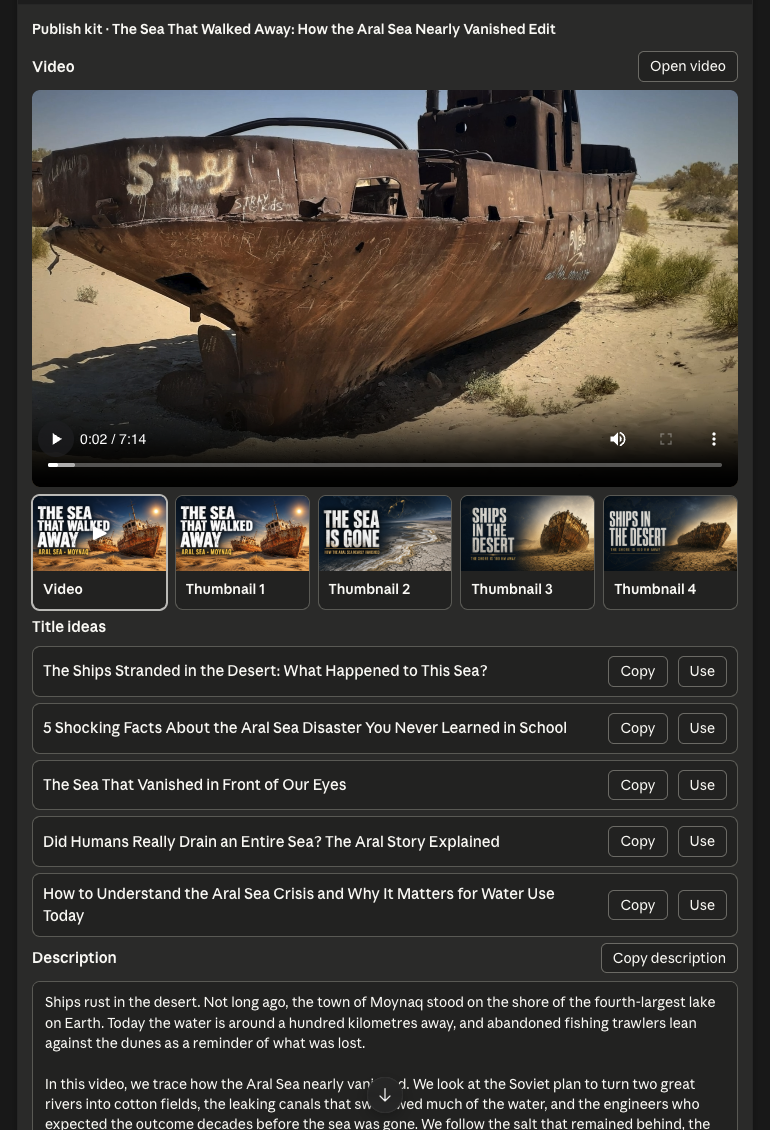
show_publish_kitplays the video and lists thumbnails, titles, description, chapters and tags to copy.
4. What differs by format
- Faceless Documentary: real footage, photos and motion graphics. The full walkthrough is in How to Make Documentaries on Claude.
- Top 10: the plan includes
ranked_items: one title per entry, unique ranks, titles that don't overlap each other or a board. - Avatar Video: pick an avatar with
list_avatars. The plan setspresenter_windowsas full_screen, split_left or split_right, with no overlaps. - Vector Explainer: can carry a recurring character from
list_vector_characters.
5. Good to know
- The check catches excluded transitions, graphics missing data and cuts hidden under full-screen boards before you pay.
- A search can return the wrong picture and still count as found, so the review is what makes the film good.
- Cliptude's own planner does not run on a locked plan. It adds, moves and drops nothing.