
Looks
A Look is a ready-made style for a video: five colours, a caption style, a colour grade for the footage, and the graphics that carry it, such as the dark satellite maps of Geo Explained or the dark stage and photo cards of Empire Story. Open Looks from the app sidebar to browse them; each has a short sample reel.
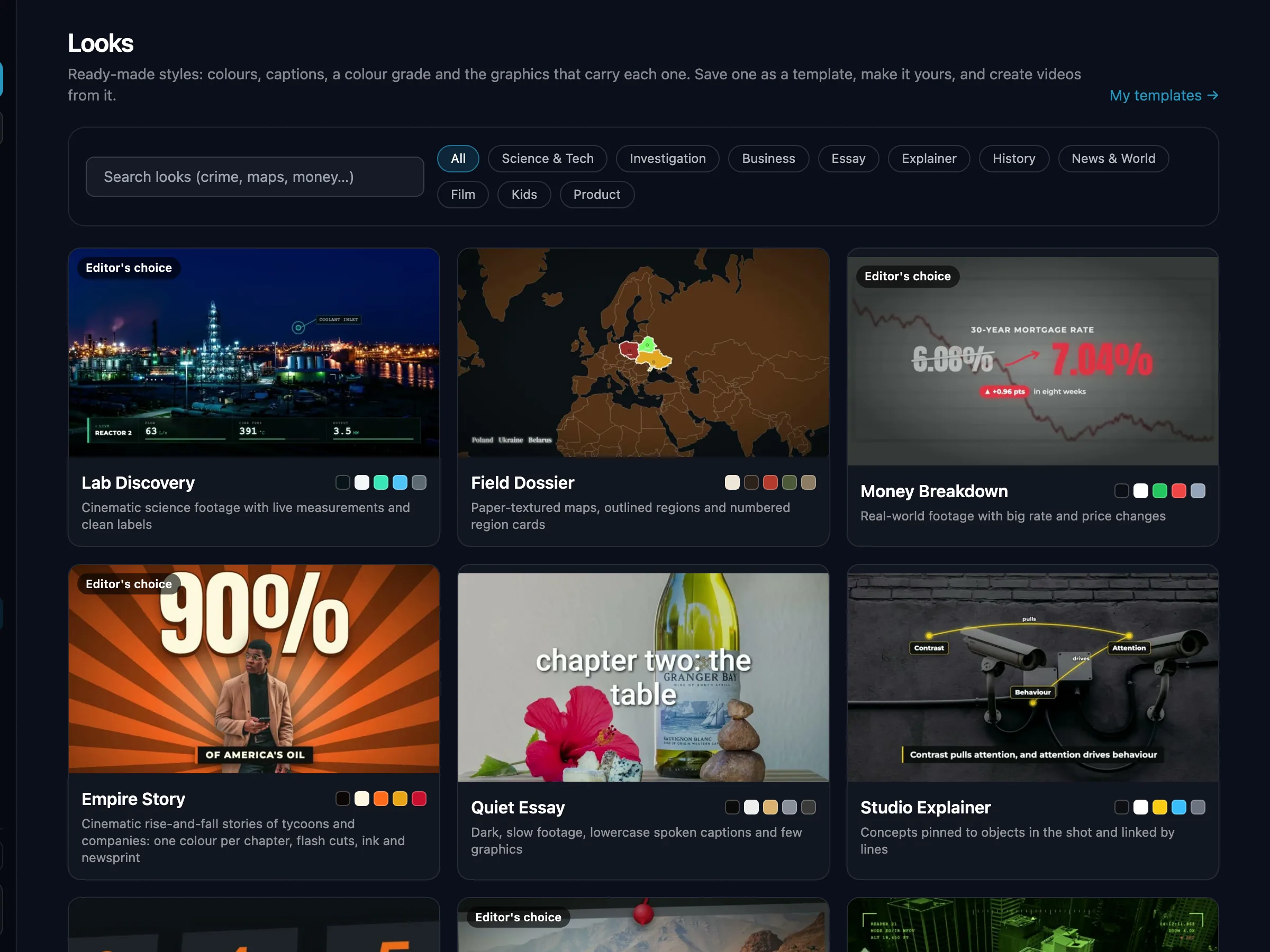
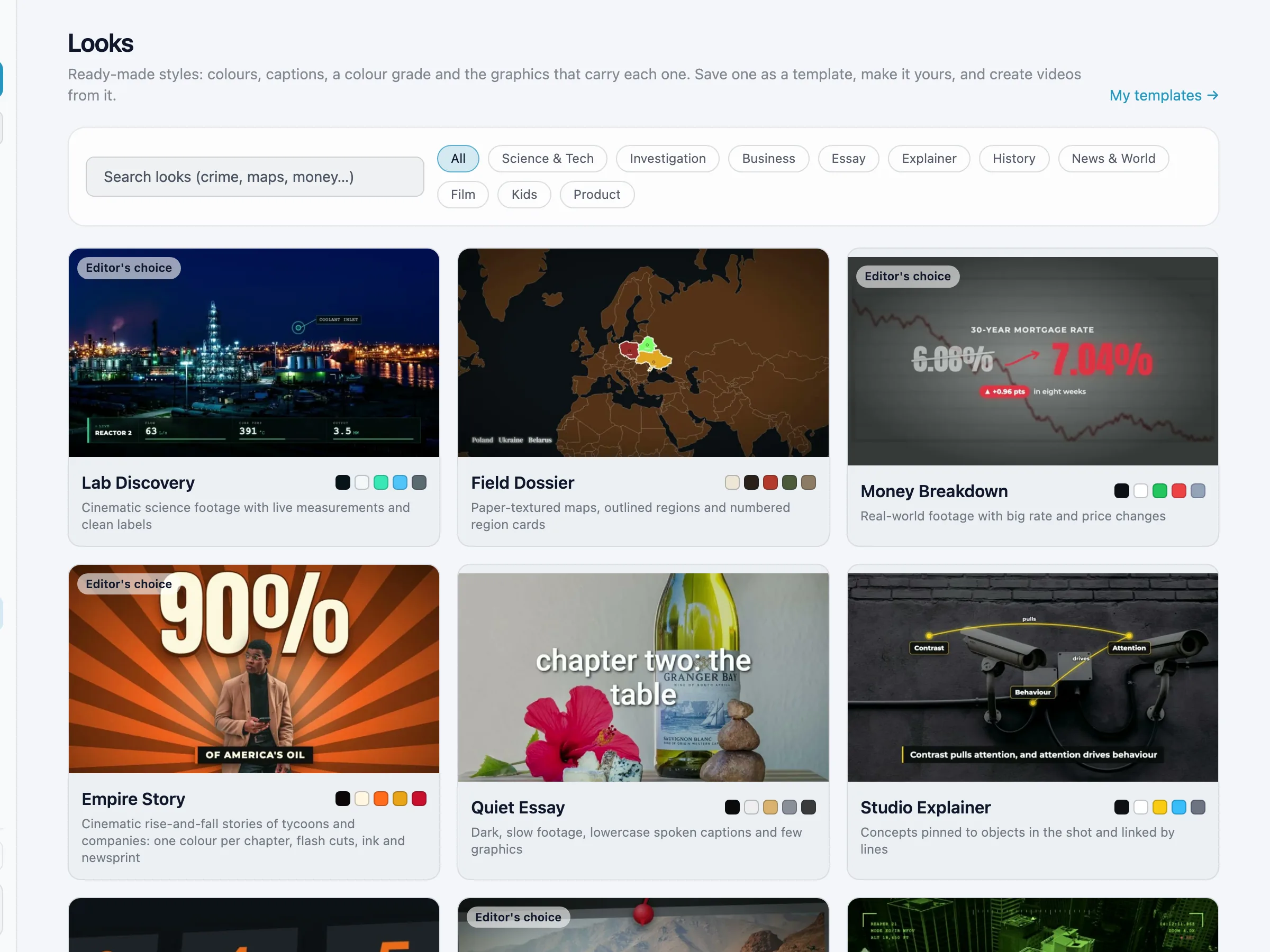
Use a Look
- Open a Look and click Save as my template. It becomes one of your templates, and the template is what your videos follow: change anything there (voice, brand kit, music, motion and effects) and make videos from it.
- On Templates, Start from a Look does the same in one click, and a template's Overview has a Look menu to switch or remove its Look.
- On Create Video, the Style card has a Look row (optional; Default means none) with Browse all Looks. In the setup popup, Style → Look (Choose a Look) shows every Look, with a Motion & effects tab next to it. Save the video as a template on the Review tab to keep it. The Look also sets the editing treatment, so there is no separate theme choice.
- No Look uses AI-generated pictures. Footage Looks use real photos, archive and footage with graphics drawn on top; a shot that finds no real picture becomes a graphic drawn in code (the year, the number, a map of the place or a statement card) instead. For a cartoon or drawn video, use the Vector Explainer format and pick its art style (flat cartoon, clay, paper and more); it needs no Look.
- The presenter Look (Level Playbook) is built around the speaker on screen, so it is offered on Talking Head and Avatar Video only.
- Twelve Looks are offered, grouped by category: Science & Tech, Investigation, Business, Essay, Explainer, History, News & World, Film and Gaming. A template or video that already uses a Look that is no longer offered keeps it.
- AI agents:
list_lookslists the offered Looks;create_template,update_template,create_jobandcreate_plan_jobtakelook, andsave_look_as_templatemakes a template from a Look alone. A Look that is not offered is refused for a new template or video (codelook_hidden). - Your Visual instructions on Create Video win where they differ from the Look.
All Looks
Investigations told on a textured paper map: flags and faces in octagon badges, dotted routes, archive in windows on black, natural-colour footage
Business rise-and-fall stories on one dark stage: lone objects, black-and-white photo cards glowing red or blue, big metal words with pill labels and year markers, the two sides in red and blue
History's disasters and survival stories, slow and dark: monochrome archive and footage, red titles and portraits on a grunge stage, a cut-away with the failing part in red
The dark satellite map is the stage: glowing outlined places, photos pinned on the map with dated chips, question titles
Product commercial: each product large on a backdrop matched to its colours, macro shots, almost no text
Dark noir investigations and unsolved mysteries: real documents and posts with the key line highlighted, dark satellite maps with a dashed route, slow push-ins
Bright paper explainer: highlighted documents, serif statements, archive footage
Footage-led data stories that cut to a crimson chart room: one yellow line, mono headlines
Megaprojects in natural drone and site footage: greyscale satellite maps with the route in yellow, clean labels and big thin numbers on the footage
A warm cinematic footage essay: one huge word laid on the picture, names in giant blue type, small yellow subtitles
Film biography cut fast: every clip in cinema scope or a rounded 4:3 window on black, its own colours, press clippings, almost no text
A fast gaming story told on the evidence: real news articles pushed in to one highlighted phrase, quotes over the blurred game art, and the game's own footage
A sourced briefing on a dark slate: one claim a slide, status tagged established, disputed or unknown, stock footage labelled
A screen investigation on a clean white stage: pages, posts and chats, findings read word by word, red and green charts
A mentor edit: gold script and bold caps beside you, figure cards with the number boxed in orange, warm cinematic grade, punch-ins
Space missions on black: real NASA and ESA pictures held long with their credits, quiet rounded captions, each spacecraft shown as its real NASA model
Animal face-offs round by round: natural wildlife footage, pictures as cards over a blurred copy, big round titles, a pastel tier list that fills as each round ends
Bright flat vector science on deep indigo space: glowing hero objects, saturated cyan and orange, small square tags
From an AI agent
Agents call list_looks, then save_look_as_template, and create jobs from that
template. See the API.