
How to Make Documentaries on Claude
Claude can direct a whole documentary through Cliptude: the script, the look, the picture under every sentence, every graphic, every cut and every sound. Cliptude is the crew. It records the narration, finds the footage Claude asked for, builds the video exactly as planned and renders it. This guide walks through the workflow we used for a nine-and-a-half-minute film about TSMC and Taiwan, and shows how to run it from Codex, Cursor and other agents too.
What the TSMC film took
- Director: Claude Fable 5.1, through the API, so the real model cost is known.
- Model cost: $19.79 in two rounds ($14.22 to plan, $5.57 to review and revise).
- Cliptude: 532 credits for a 9:40 film, the same price as making it on the website.
- The plan: 118 shots, 60 graphics, 30 chosen transitions, 3 reveals and 4 sound hits.
- Human edits to the plan: none.
Running the same workflow inside a Claude subscription (Claude Code or claude.ai) adds no model bill. You pay only Cliptude credits.
1. Connect Claude to Cliptude
There are three ways in. All of them use the same account and the same credits.
- Claude Code: one command, then sign in when Claude asks.
claude mcp add --transport http cliptude https://mcp.cliptude.com/mcp - claude.ai or Claude Desktop: go to Customize → Connectors → Add custom
connector, paste
https://mcp.cliptude.com/mcpand sign in with OAuth. Full steps. - No MCP? Install the command-line tool and the agent can run it like any other
program.
npm i -g @cliptude/cli
cliptude auth login
Under both sits a plain HTTP API, described in the API docs.
2. Install the Cliptude skills
Skills are short instruction files the agent reads before it starts, so it knows the workflow without you explaining it.
npx skills add cliptude/cliptudeThere are three: one for making videos, one for writing scripts, and
cliptude-plan, which teaches the agent to direct every shot itself. That is the one this
guide uses.
3. Brief Claude like an editor
You don't write code. Describe the film the way you would brief an editor, and ask to see the plan before anything costs money. Copy this prompt, fill in the parts in [brackets] and paste it into Claude or any other agent.
Connect the Cliptude MCP server at https://mcp.cliptude.com/mcp and sign in. If you can't use MCP, install the CLI with `npm i -g @cliptude/cli` and run `cliptude auth login`. Then install the Cliptude skills: `npx skills add cliptude/cliptude`.

Make a [8-10]-minute documentary about [topic] for YouTube. Show me my saved templates first and let me pick one. If none fits, set one up with me using Cliptude's pickers, one at a time (voice, then music, background and style). Research the topic with web searches, write the script yourself and keep a list of your sources.

Direct it with the cliptude-plan skill: plan the look, a picture under every sentence, every graphic and its text, the cuts and the sound. For every graphic, fill each picture slot its catalog entry lists (media, or plate for boards that sit on a picture), so no board is left empty or borrows the picture under its sentence. Use real photos and footage, never AI images of real people, and no brand logos unless the line is about that brand. When a moment needs one exact picture (a logo, a screen capture, a clip), give its URL instead of a search.

Run check_plan until the plan is valid, then show me a summary of the plan and its cost before you lock it.

After the build, open get_plan_review and look at every picture and at the props every graphic will be drawn with. Replace wrong, off-era or branded pictures, fill any graphic that is missing its pictures or data, and revise on the same job. Render only after I approve the review, then show me the publish kit.
The agent stops at every step that costs money. You can approve the plan, ask for changes or try a different look. The create page in Cliptude also builds a prompt for you from the options you pick.
4. What Claude does next
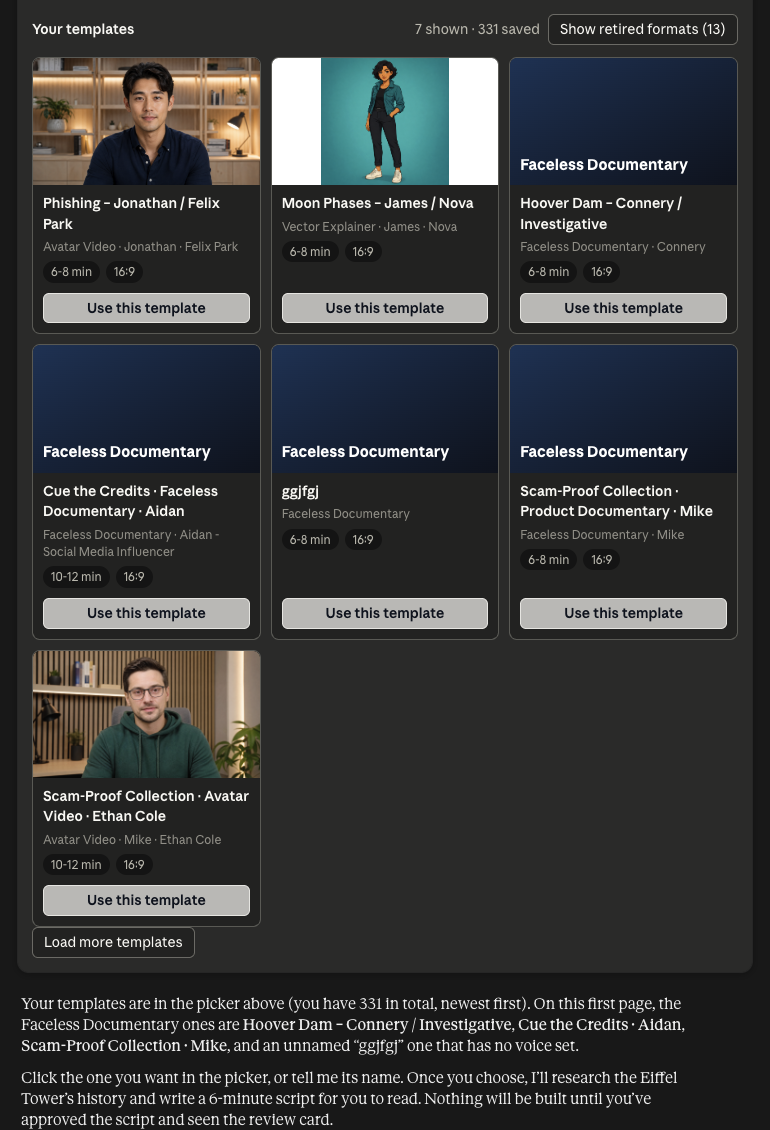
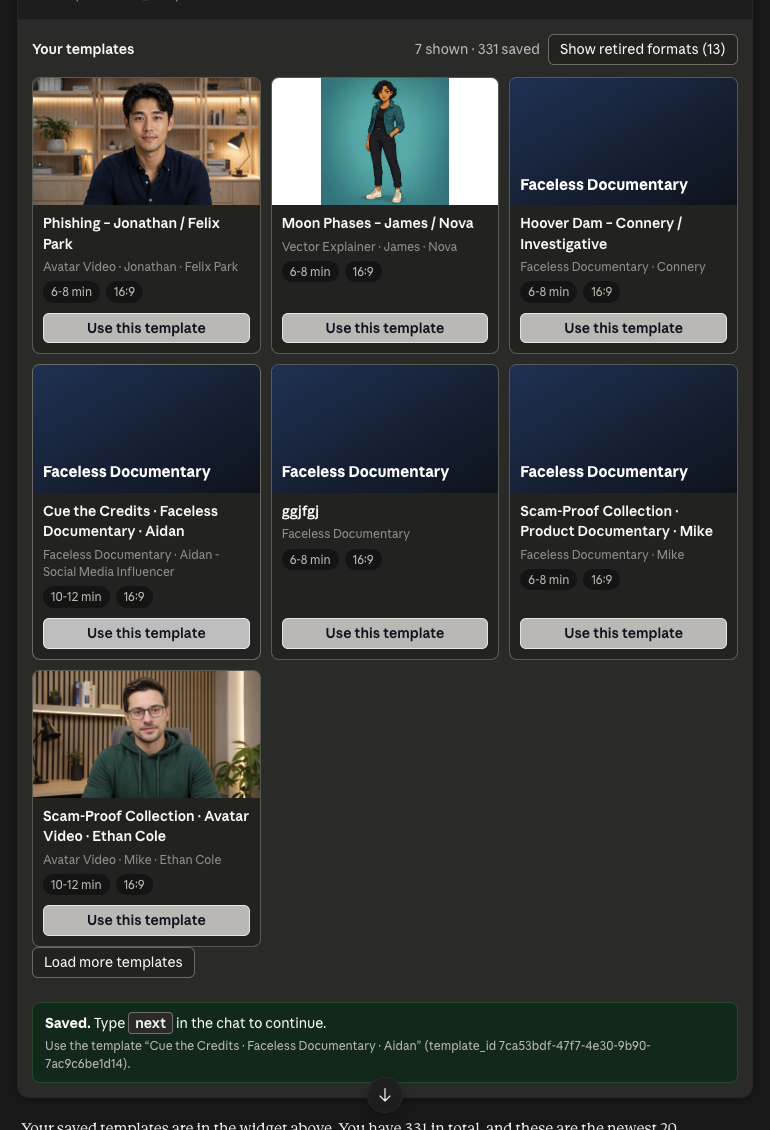
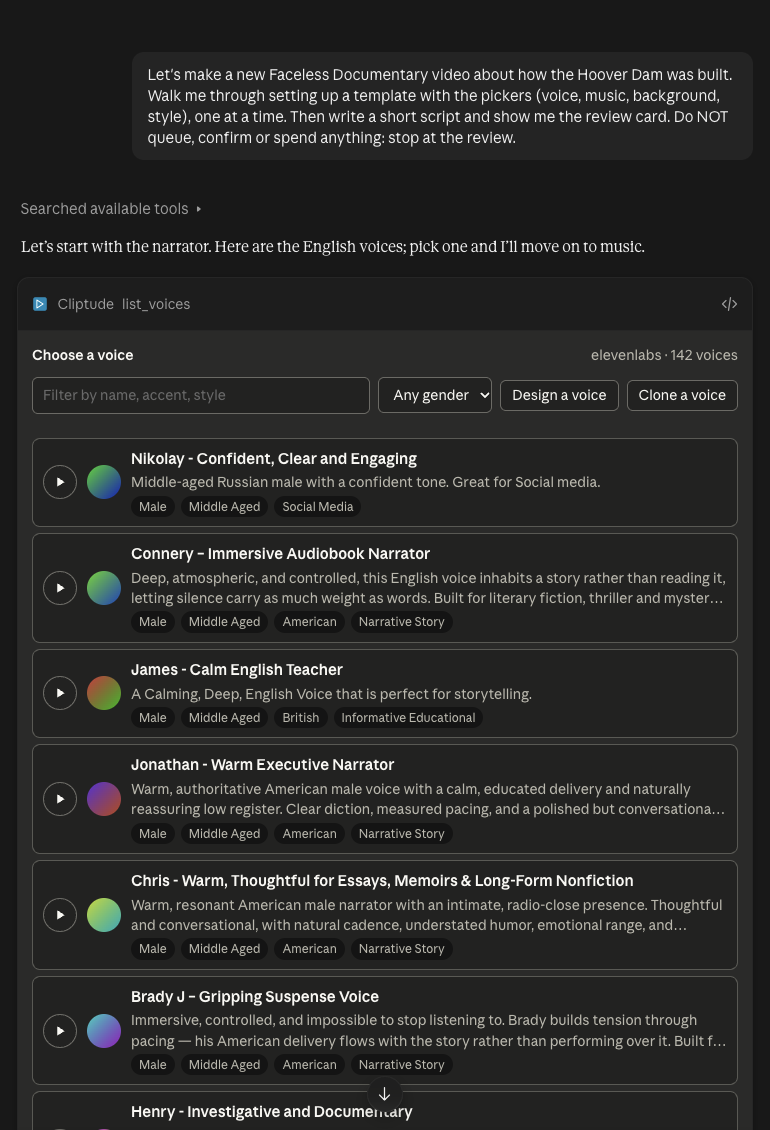
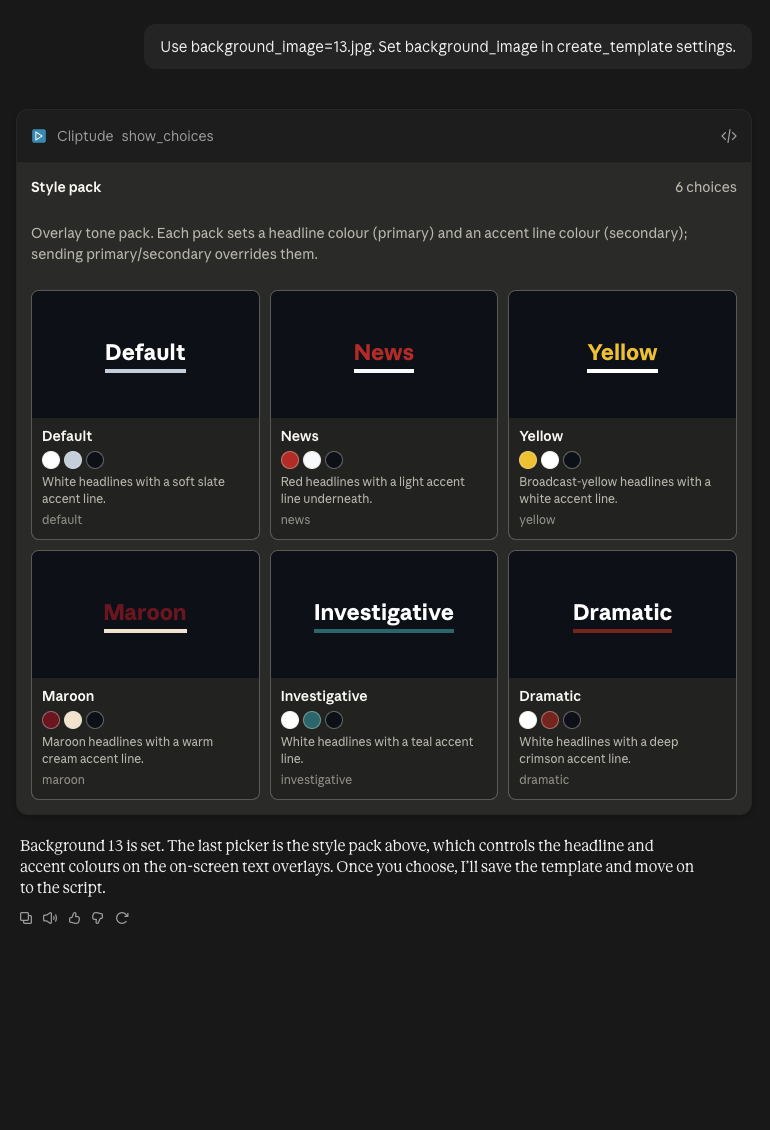
- Template. A template fixes the voice, language, music, background, style and
length. Claude first shows your saved templates as a gallery and you pick one. If none fits, it
builds one with Cliptude's pickers, one at a time: voice, then music, background and style pack.
In Claude a click saves your pick and the picker says "Saved. Type next in the chat to continue."
Type
nextand Claude carries on. In ChatGPT the pick is sent as your next message. - Script. Claude researches the topic and writes the script, or you hand it your own script or voiceover. You read it before anything is built.
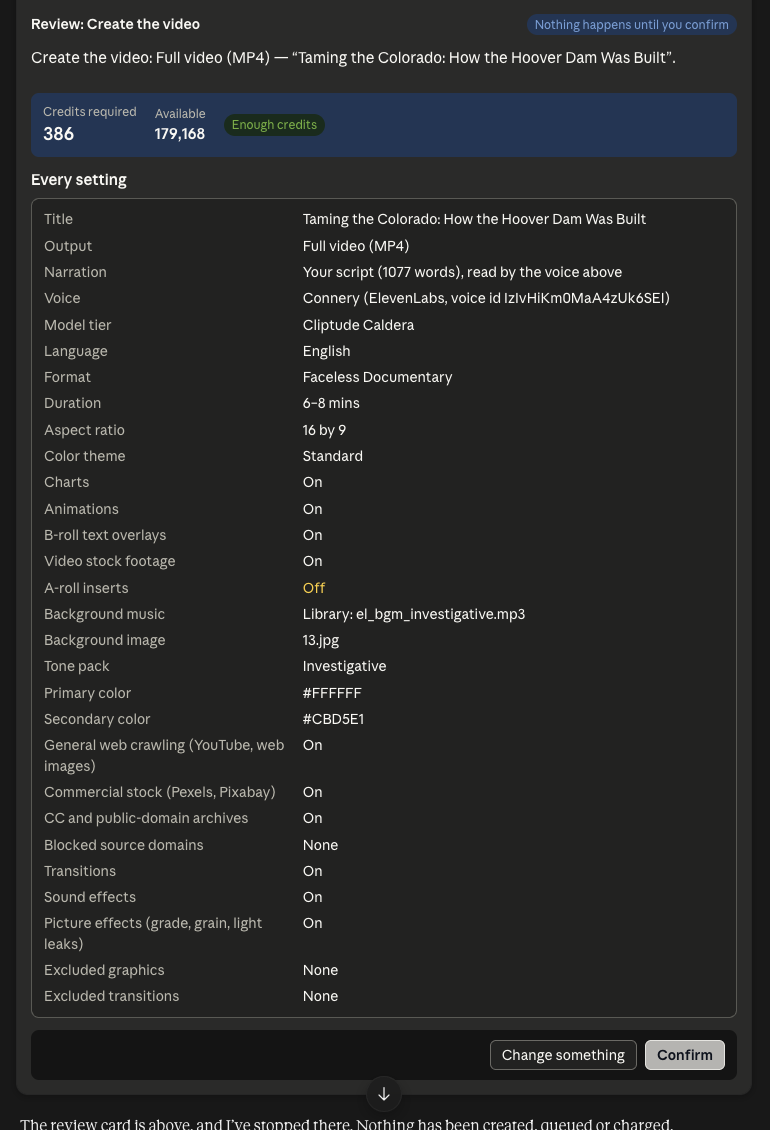
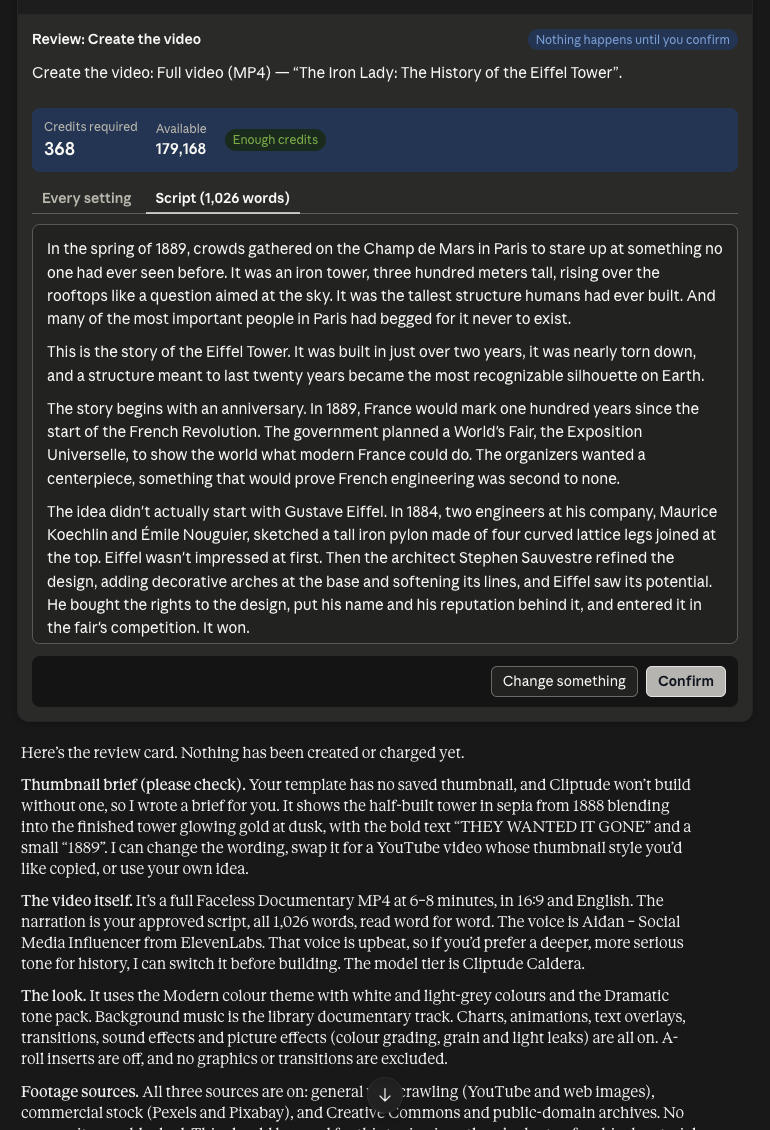
- Review card. Before the job starts, Claude shows the review card: every setting, any warnings, a checkbox for anything you turned off, and the credits, with the script on its Script tab. Nothing is created or charged until you click Confirm.
- Narration first. Claude starts a plan job and Cliptude records the narration before anything else exists. Every sentence comes back with its start and end time, down to the word, so a number lands on screen on the word that says it.
- The plan. Claude reads the catalog of motion graphics and writes the plan: the look, a picture (search, backup search and date) under every sentence, each graphic and its text, the transition on each cut, reveals and sound hits.
- Check, fix, lock. The check is free. It catches an excluded transition, a graphic missing its data or a cut hidden under a full-screen board. Claude fixes the errors until the plan is valid, then locks it. The TSMC plan was clean on the third check.
- Build. Cliptude voices, sources and assembles exactly the locked plan. Its own planner does not run: it adds, moves and drops nothing. The job is charged here, once.
- Review the build, not a render. Claude gets every picture it actually received, under its sentence, next to what it asked for, plus every graphic and the props it will be drawn with.
- Revise for free. Fixes go into a revised plan on the same job. Cliptude reuses every picture that didn't change, searches again only for the ones that did, and charges nothing more.
- Render once when the build is right.
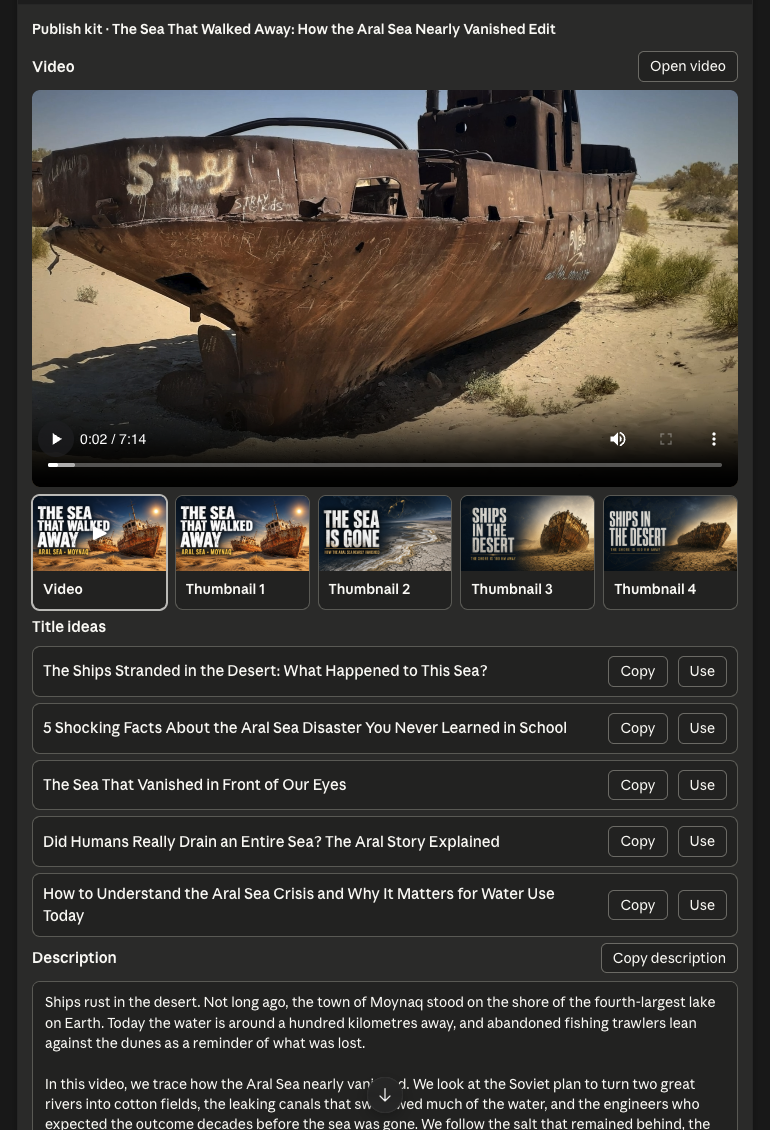
- Publish kit. Claude shows the finished video playing, then its thumbnails, titles, description, chapters and tags, ready to copy.
The full tool list and plan schema are in the agent-planned videos section of the API docs.
5. What to look for in the review
A search can return the wrong picture and still count as found, so the review is the step that makes the film good. From our runs:
- Wrong era or place. A 1989 Intel chip turned up under a line about a hundred billion transistors, and a truck on an American street stood in for Taiwan's water tankers. Claude caught and replaced both, 16 pictures in all.
- Brands and other people's work. Logos and app screenshots slip in under generic searches (a Texas Instruments logo under a line about headline colours). Swap them.
- Fake likenesses. Claude rejected an AI picture of Nixon and Mao: "fabricated likenesses of real people have no place in a documentary."
- Exact shots: use your own URL. When a moment needs a specific picture, such as a logo, a screen capture or a clip from another film, host it and give the beat its URL instead of a search.
- Boards that need pictures. Some graphics, like a two-image comparison or a big
number over a photo, have picture slots in the catalog. Fill each one in the plan (
media, orplatefor boards that sit on a picture). Otherwise the board is left empty or borrows whatever picture is under its sentence. The review shows each graphic's picture and props, so empty or borrowed ones are easy to spot. - Clips with speech. If you cut excerpts from another video into the narration, cut on sentence boundaries so nobody starts mid-sentence.
It isn't perfect. Claude kept a photo of a 2024 building under a line about the 1999 earthquake and called it on point. That is why the review step exists, and why you can always step in yourself.
6. The same workflow in other agents
Nothing here is specific to Claude. Any agent that speaks MCP can direct a Cliptude documentary with the same skills and the same tools. Agents without MCP can use the CLI.
ChatGPT shows the same pickers and cards as Claude. Claude Code, Codex, Cursor
and other agents that show no widgets give you a cliptude.com/pick link instead, with the same picker,
review card or publish kit. It works once, for 15 minutes, and only for you when you are signed in; the
agent reads your choice with get_pick. In a terminal,
cliptude pick <pick_id> --url <link> opens it and waits.
- Codex (CLI, IDE, ChatGPT desktop):
codex mcp add cliptude --url https://mcp.cliptude.com/mcpthencodex mcp login cliptude. Steps. - Cursor: Cursor Settings → Tools & MCP → New MCP Server, with the same URL; Cursor runs the sign-in when you click Connect. Steps.
- Hermes Agent: Steps.
- OpenClaw: Steps.
- Grok: Steps.
- ChatGPT, VS Code, Windsurf and other MCP hosts: Steps.
The model you pick changes the taste and the cost of the plan, not the workflow. Run the same brief with two agents on the same narration and compare the films.
7. Beyond documentaries
The agent-planned workflow also covers Top 10 countdowns and avatar videos with an AI presenter. If you don't want to direct every shot, the agent can hand Cliptude a script and let Cliptude plan the visuals in a single call.