
Video Formats Explained
Cliptude offers several distinct video formats tailored to different types of content. Understanding these formats helps you choose the right one for your audience and message. Watch a sample under each format, or browse the full gallery on the Sample Videos page.
Faceless Documentary & Top 10
B-roll with spoken overlays — not motion-graphics invent-the-visuals explainers.
Faceless Documentary
B-roll cuts, voice-synced text overlays, premium camera motion, and entity fullframes (maps, charts, traits). Asset waterfall: YouTube → stock → scrape → last-resort card. Tone packs: News, Investigative, Dramatic.
- • 22–40 credits per minute by voice (22 credits per minute with your own voiceover and 40 with ElevenLabs)
- • Scales to 50–60 minutes
- • Script, TTS, or VO upload; optional A-roll toggle
Sample: Documentary
Faceless Top 10
Same dense B-roll documentary pipeline as Faceless Documentary. Ranked item titles
(#N: Name are forced on-screen and override last-resort
plates and competing editorial overlays.
- • Same 22–40 credits per minute by voice
- • Shares tone packs, A-roll toggle, and visual enhancements with FD
Sample: Top 10
Avatar Video
Talking AI avatar scenes mixed with documentary-style B-roll, charts, and overlays — a presenter-led look without a filmed host.
Avatar Video
Selectively inserts lip-synced avatar shots where a presenter helps clarity, then mixes those with maps, charts, motion graphics, B-roll, and text reveals. Choose a public avatar or create one from your own photo.
- • Public avatars or photo avatars (standard / premium models)
- • Scene voiceover lip sync — not a single continuous presenter track
- • Split-screen and full-screen avatar layouts with supporting visuals
- • Format surcharge may apply on top of your model tier rate
Sample: Avatar Video
Sample: Avatar Video
Minutes of Avatar Video per plan
Approximate finished-video minutes if you spent the full monthly credit balance on Avatar Video alone. AI Image + AI Video is 52 credits per minute. A talking avatar throughout is 55 on Cliptude's HeyGen key, on every avatar engine. With your own HeyGen key you pay the faceless documentary rate for your voice (40 with ElevenLabs).
| Plan | Credits | AI Image + AI Video | Talking avatar | Own HeyGen key |
|---|---|---|---|---|
| Starter | 1,100 | ~21 min | ~20 min | ~28 min |
| Lite | 2,850 | ~55 min | ~52 min | ~71 min |
| Creator | 7,000 | ~135 min | ~127 min | ~175 min |
| Pro | 19,000 | ~365 min | ~345 min | ~475 min |
| Scale | 52,500 | ~1,010 min | ~955 min | ~1,313 min |
Talking Head
Upload your own on-camera footage. Cliptude uses your voice and face clips, then builds a documentary-style edit around them — B-roll, charts, animations, and split/collage layouts.
Talking Head
Record yourself speaking to camera, upload the clip, and Cliptude transcribes narration, punches your face into the timeline, and fills the rest with faceless documentary visuals.
- • Your uploaded video supplies both voiceover and lip-synced face windows
- • Full-screen and split/collage presenter layouts with supporting B-roll
- • Same charts, animations, and overlays as Faceless Documentary between face punches
Sample: Talking Head
Vector Explainer
Vector Explainer
Full-bleed flat vector scenes (thick outlines, flat fills) with optional character lock, Ken Burns stills or Grok video motion.
- • Optional cast or no character (Krea Turbo T2I)
- • B&W or color; text-on-images off by default
- • Credits: tier rate for stills; Grok rates for video reveal
Make it from Claude or ChatGPT (MCP)
Connect the Cliptude MCP server (https://mcp.cliptude.com/mcp) to Claude, ChatGPT or another agent and
ask for the video in plain words. In Claude and ChatGPT, Cliptude's tools open pickers and cards inside the chat.
This is the order the agent follows:
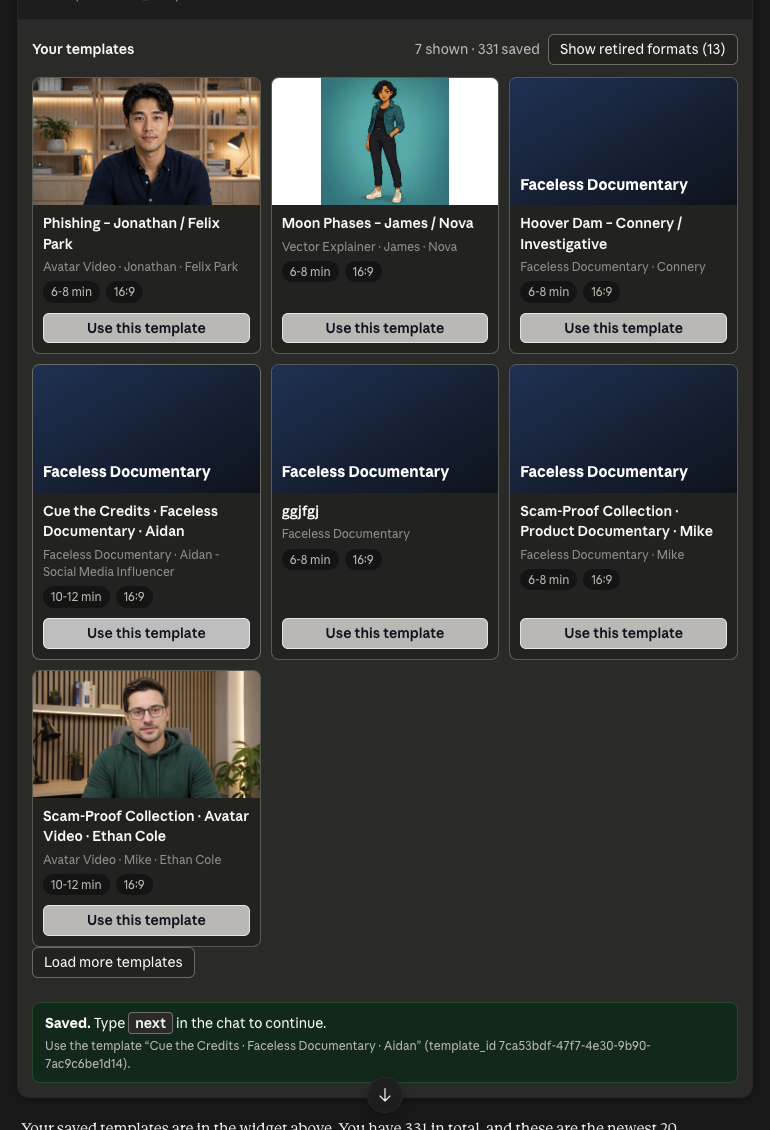
- Your templates first.
list_templatesshows your saved templates as a gallery. Pick one. - No template fits? The agent builds one with the pickers, one at a time: voice, then the presenter (Avatar Video) or character (Vector Explainer), then music, background and style.
- Type next. In Claude a click saves your pick and the picker says
"Saved. Type next in the chat to continue." Type
nextand the agent reads it. In ChatGPT the pick is sent as your next message. - Script. The agent researches the topic, writes the script and lets you read it.
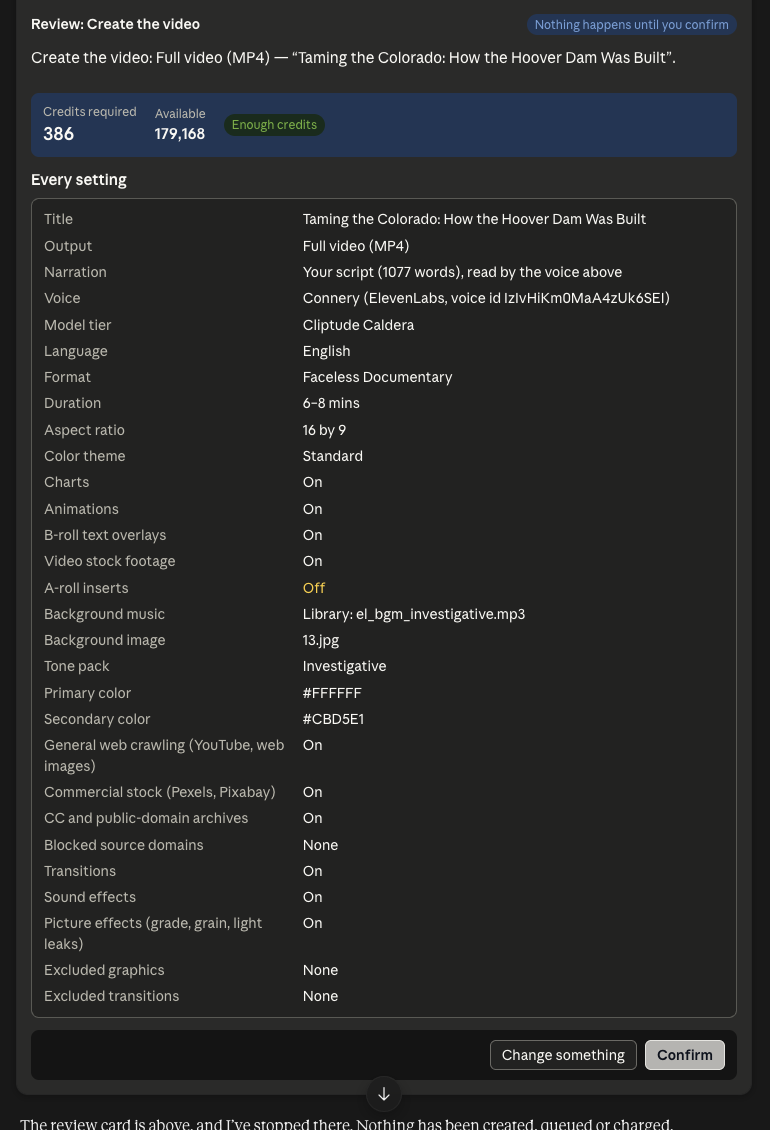
- Review card. Every setting, any warnings, a checkbox for anything you turned off, and the credits, with an Every setting tab and a Script (N words) tab. Nothing is built or charged until you click Confirm.
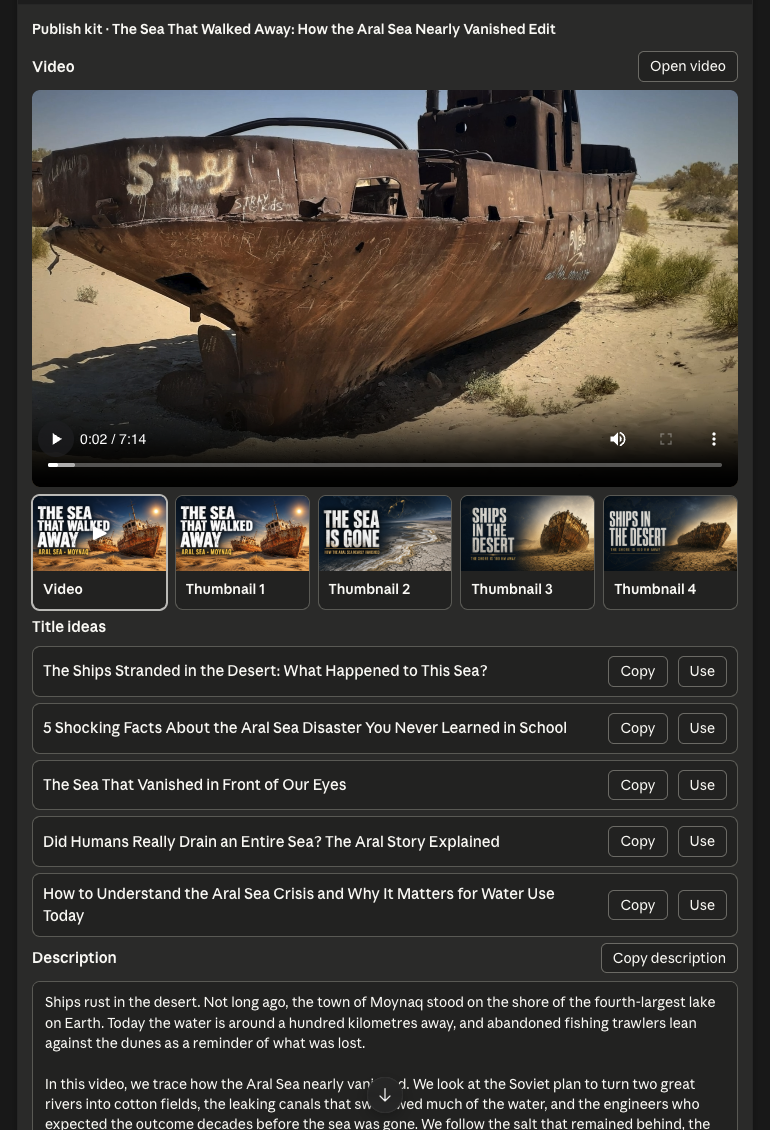
- Job card, then the publish kit. A job card shows progress and, when the job waits for it, the script to approve. When the video is ready, the publish kit plays it and gives you thumbnails, titles, a description, chapters and tags to copy.
Make me a 10-minute [Faceless Documentary / Faceless Top 10 / Avatar Video / Vector Explainer] about [topic]. Show me my saved templates first and let me pick one. If none fits, set one up with me using Cliptude's pickers, one at a time (voice, then the presenter or character, then music, background and style). Write the script, let me read it, and show me the review card before you build anything. Show me the publish kit when the video is ready.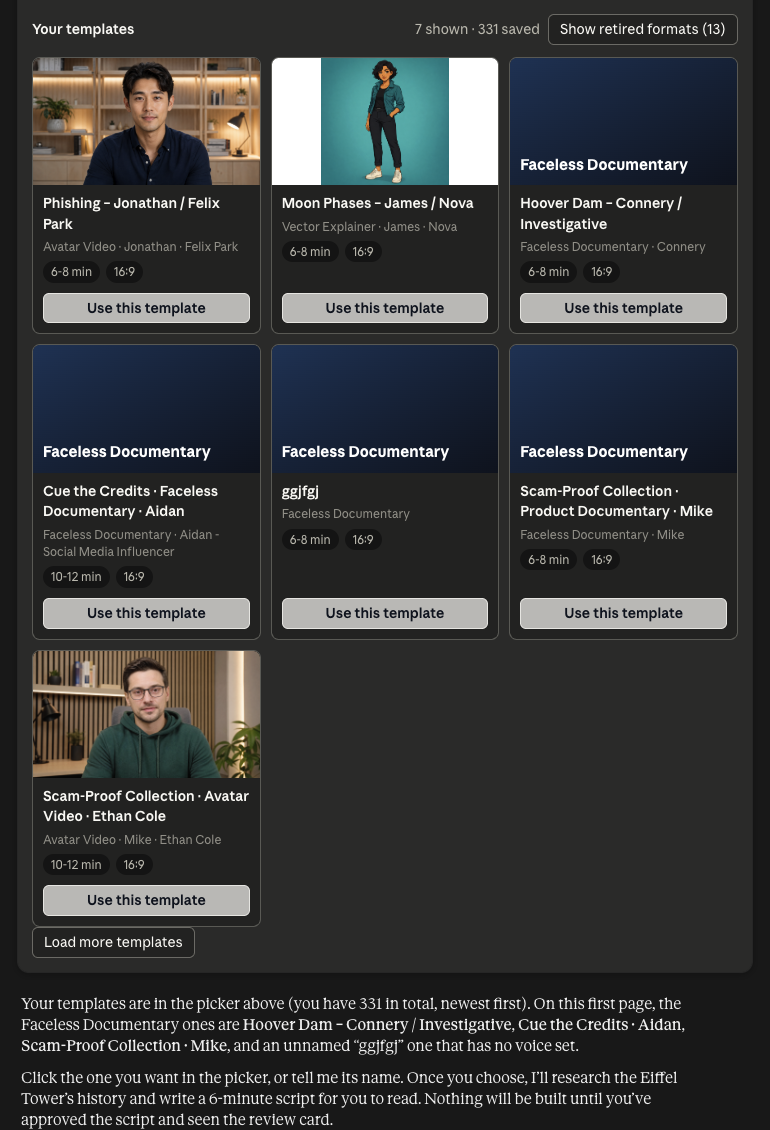
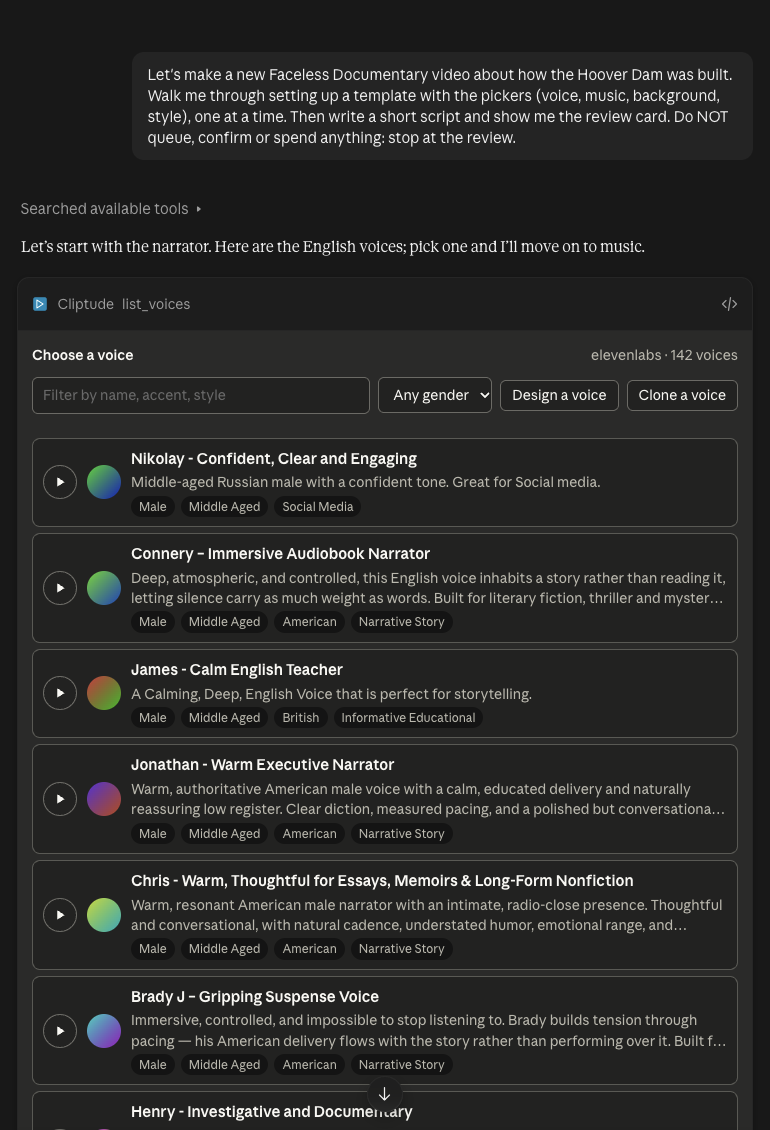
Claude Code, Codex, Cursor and other agents that show no widgets give you a cliptude.com/pick link with the same
picker instead. It works once, for 15 minutes, and only
for you when you are signed in. The agent reads the result with get_pick. From a terminal:
cliptude pick <pick_id> --url <link> opens it and waits.
Setup for each agent: Claude, ChatGPT, Claude Code, or any other MCP agent.
Each live format has its own MCP walkthrough: Faceless Documentary, Faceless Top 10 (plan mode), Avatar Video, Talking Head and Vector Explainer. Every format makes 16:9 videos.