
Understanding Credits
Cliptude operates on a credit-based system. Each video you generate consumes credits based on its duration, the voice, the model tier you select, and the format you choose. Faceless documentary is priced by voice: 22 credits per minute with your own voiceover and 40 with ElevenLabs.
Faceless documentary by voice
Credits per minute of output on Cliptude Cinder:
| Voice | Credits / minute |
|---|---|
| Your own voiceover | 22 |
| ElevenLabs | 40 |
| Cliptude Caldera | +5 on any voice |
Timeline editor export:
of the original generation credits (rounded up). See Rendering from the Editor.
Video Reassembly (Regeneration):
of the original generation credits (rounded up)
How it's Calculated
Credits are deducted only when your video is successfully generated. You are not charged for failed generations.
The estimate shown during the wizard uses your format, voice and tier rate × expected duration. The final charge uses the measured length of the completed video (rounded up per minute).
Where you see the estimate
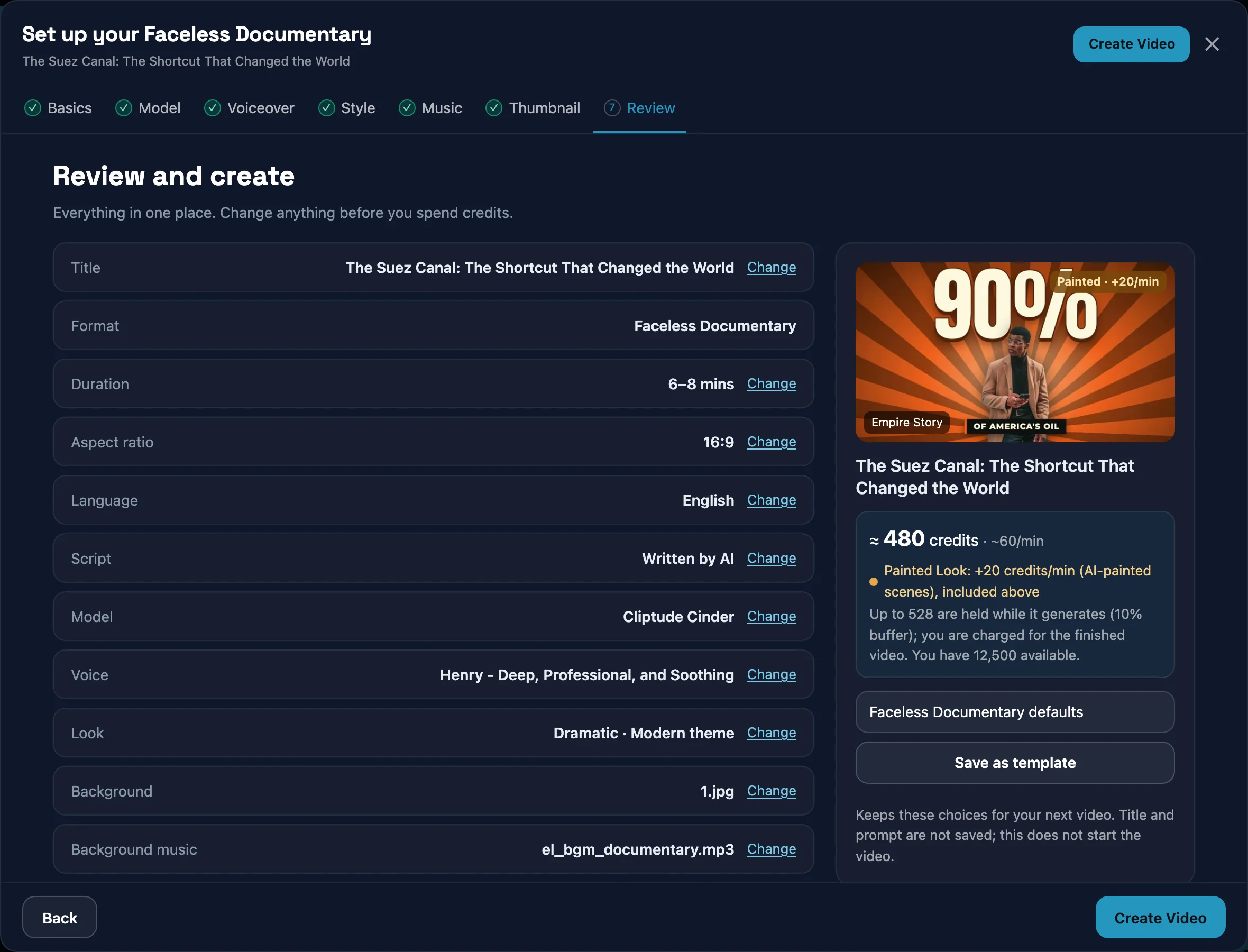
The Create Video page shows a range in its bottom bar. In the setup popup, the Thumbnail tab and the Review tab show the estimate for your exact choices, the credits held while the video generates (the estimate plus a 10% buffer) and your balance. A Painted Look adds 20 credits per minute; the Review card lists it as Painted Look: +20 credits/min, already included in the total.
Formats that use more credits
Formats that generate AI video or lip-synced avatars for each scene use heavier compute, so they bill differently from a faceless documentary. Always check the credit estimate in the wizard before you generate.
| Format | Typical cost | Why |
|---|---|---|
| Vector Explainer (video animation) | ~131–164 credits / min By tier at 720p |
Grok image-to-video per scene; Ken Burns stills are 42–60 credits/min on Cinder depending on the voice, 5 more on Caldera |
| Avatar Video | 52 credits/min with B-roll set to AI footage, 55 with the avatar on screen throughout On screen: Intro only is also 55 credits/min |
Lip-synced avatar scenes on top of the documentary pipeline |
| Faceless documentary | 22–40 credits / min | Depends on the voice; see the table above |
Plan credits and rollover
An active subscription adds one month of plan credits at each renewal. Unused plan credits carry forward, up to 3 months of your current plan. Anything above that cap is not added.
- Your first subscription grant is one month. A trial converting to paid also starts as one fresh month.
- Annual plans renew credits monthly, with the same 3-month cap.
- Generation spends plan credits before credits you bought.
- If credits for a video are refunded, each credit goes back to the balance it came from: plan credits to your plan balance, pay-as-you-go credits to your pay-as-you-go balance. Your credit history shows which.
- Plan credits are removed when the subscription ends, is refunded, or a payment fails.
Adding More Credits
You can purchase additional credits at any time from the Pricing Page. We offer flexible packages:
- Pay-as-you-go: Buy credits from Billing, with or without a subscription. They are separate from your plan balance and never expire. Without a plan the minimum is $25 (850 credits); subscribers can top up from $10. MCP, REST API and CLI work with these credits; voice cloning and team seats need a plan. Details
- Monthly Subscription: Get a monthly allowance of credits at a discounted rate. Unused plan credits roll over up to 3 months while the subscription is active.
See your balance and every charge on the Credits page.
Note on Estimates
The credit cost displayed during creation is an estimate. Final usage might vary slightly based on exact video length and format-specific provider costs.
Frequently Asked Questions
Are credits deducted for failed generations?
No. Generation credits are charged only after successful assembly. If the pipeline fails, you are not billed for that run.
How are credits calculated exactly?
Choose a format, a voice and a model tier in the wizard. For a faceless documentary, the rate for your voice (22–40 credits per minute on Cinder, plus 5 on Caldera) is multiplied by the final duration in minutes (rounded up). Other formats use their own rates from the table above. The wizard estimate always reflects the format you selected. Exporting from the timeline editor costs 10% of that original generation charge (rounded up). Pipeline reassembly uses the same 10% rate. How Render works: Rendering from the Editor.
Do plan credits roll over?
Yes, while your subscription is active. Each cycle adds one month of plan credits, and the plan-credit balance cannot exceed 3 months of your current allotment. Your first grant, and a trial converting to paid, is one fresh month. Plan credits are removed when the subscription ends, is refunded, or payment fails. Credits you buy separately last until you use them. Generation spends plan credits first.
Do some formats use more credits?
Yes. Vector Explainer with video animation generates a clip for every scene, so it bills above a faceless documentary. Avatar Video with AI Image + AI Video is 52 credits per minute, and a talking avatar throughout is 55 on Cliptude's HeyGen key. See the table above and each format guide for details.