
Make Videos With Claude, MCP and AI Agents
Connect an agent such as Claude, Codex or Cursor to Cliptude over MCP (or the CLI) and it can write the script, direct every shot, and build, review and revise the video. Cliptude voices, sources and renders. These are all the guides, grouped by what you want to do.
The short path
- Connect your agent to
https://mcp.cliptude.com/mcpand sign in (steps per agent are in the API docs). - Install the skills with
npx skills add cliptude/cliptudeso the agent knows the workflow. - Pick how the video starts below, then follow that guide.
In Claude and ChatGPT the agent shows your saved templates first, builds a new one with visual pickers if none fits, and shows a review card with the credits before anything is built. Claude Code, Codex and Cursor get the same pickers as a cliptude.com link.
What it looks like in Claude and ChatGPT
Connect the Cliptude MCP server (https://mcp.cliptude.com/mcp) to Claude, ChatGPT or another agent and
ask for the video in plain words. In Claude and ChatGPT, Cliptude's tools open pickers and cards inside the chat.
This is the order the agent follows:
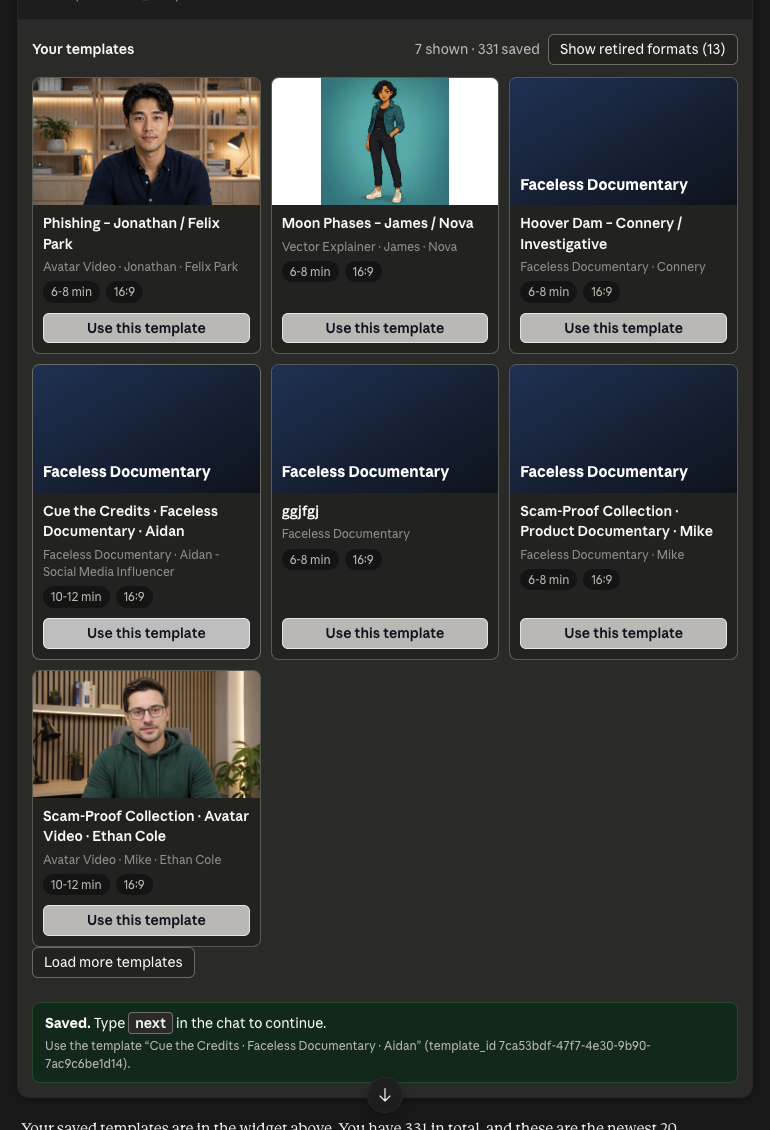
- Your templates first.
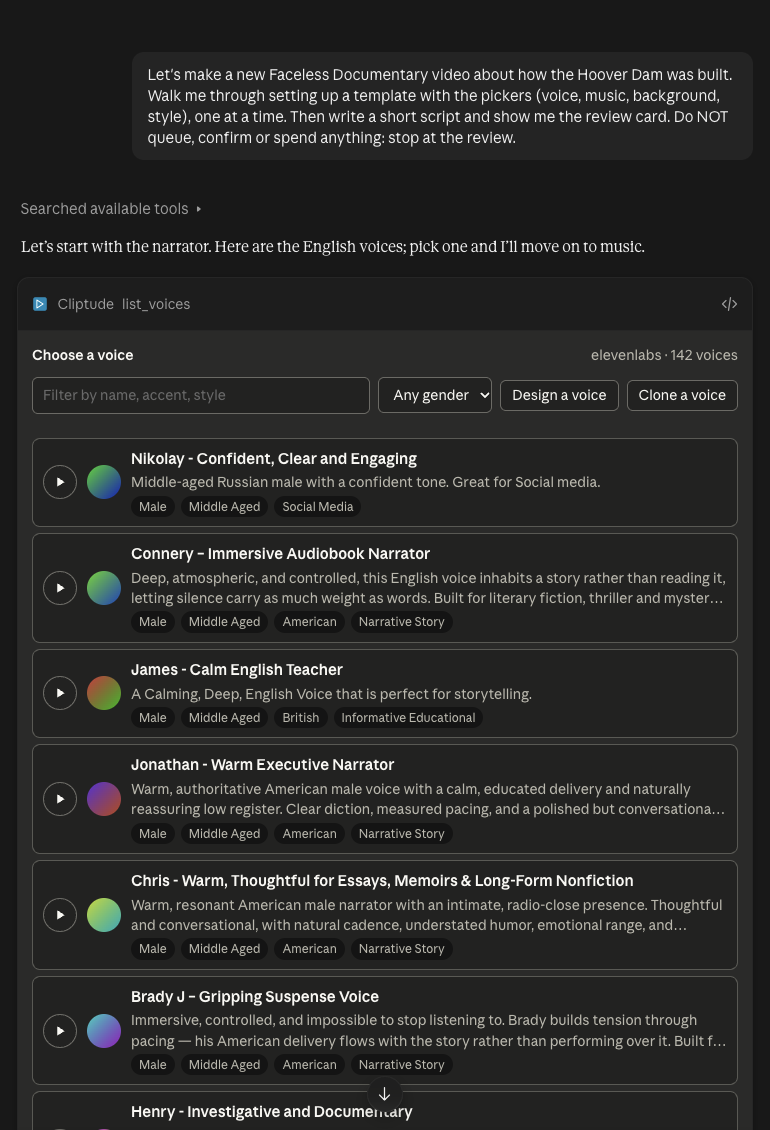
list_templatesshows your saved templates as a gallery. Pick one. - No template fits? The agent builds one with the pickers, one at a time: voice, then the presenter (Avatar Video) or character (Vector Explainer), then music, background and style.
- Type next. In Claude a click saves your pick and the picker says
"Saved. Type next in the chat to continue." Type
nextand the agent reads it. In ChatGPT the pick is sent as your next message. - Script. The agent researches the topic, writes the script and lets you read it.
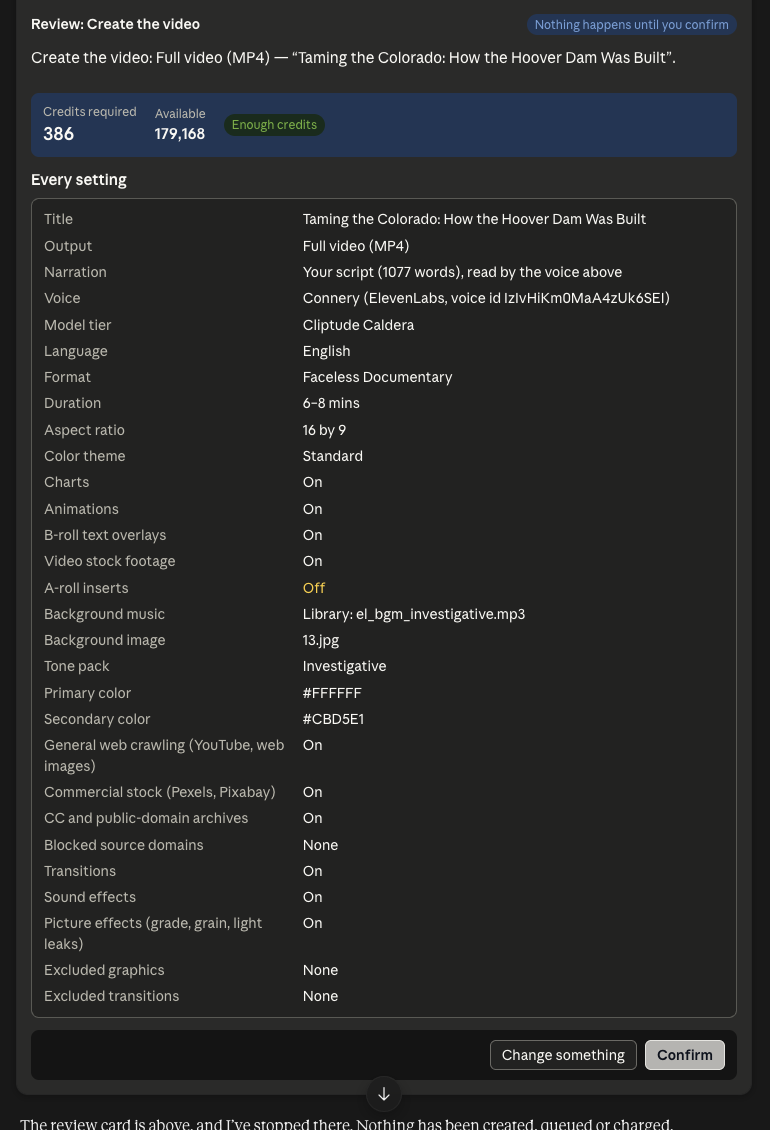
- Review card. Every setting, any warnings, a checkbox for anything you turned off, and the credits, with an Every setting tab and a Script (N words) tab. Nothing is built or charged until you click Confirm.
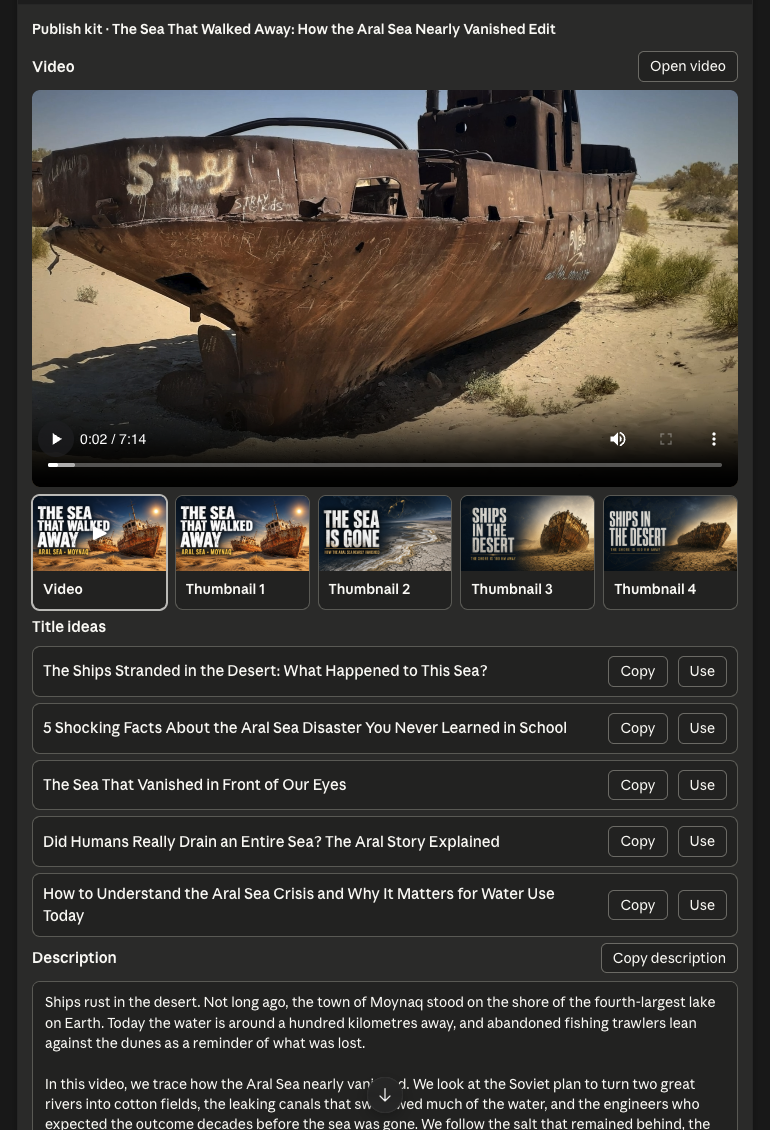
- Job card, then the publish kit. A job card shows progress and, when the job waits for it, the script to approve. When the video is ready, the publish kit plays it and gives you thumbnails, titles, a description, chapters and tags to copy.
Make me a 10-minute [Faceless Documentary / Faceless Top 10 / Avatar Video / Vector Explainer] about [topic]. Show me my saved templates first and let me pick one. If none fits, set one up with me using Cliptude's pickers, one at a time (voice, then the presenter or character, then music, background and style). Write the script, let me read it, and show me the review card before you build anything. Show me the publish kit when the video is ready.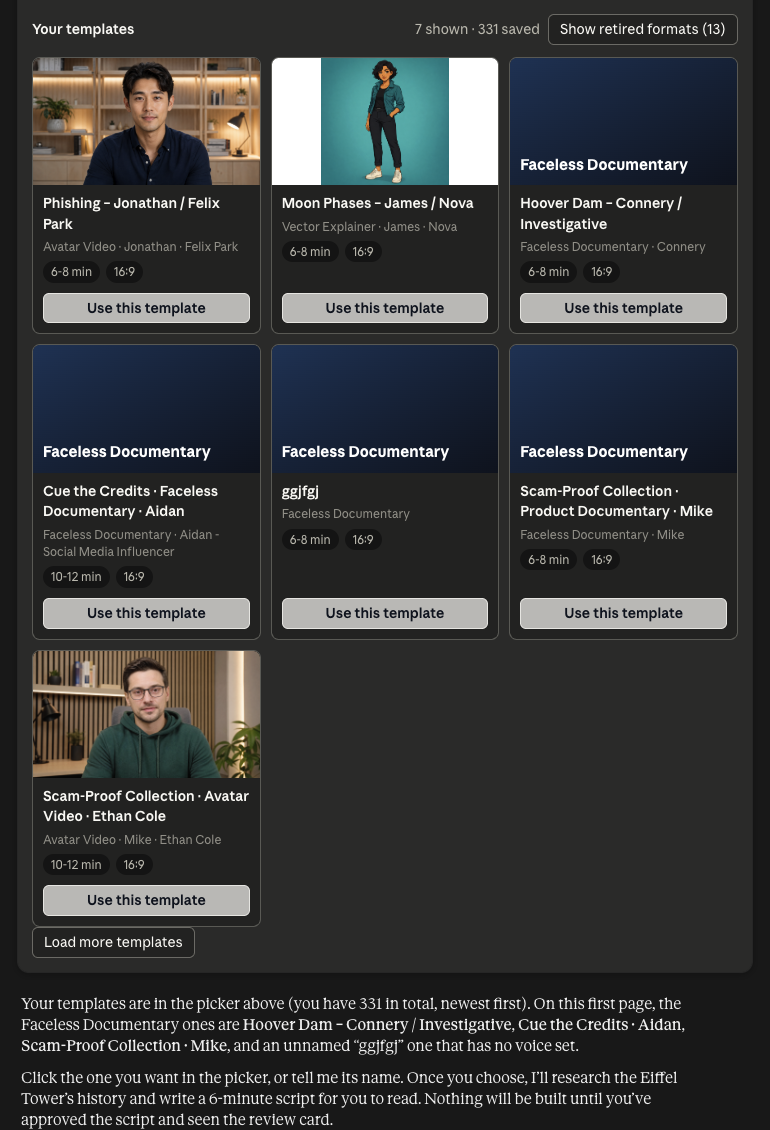
Claude Code, Codex, Cursor and other agents that show no widgets give you a cliptude.com/pick link with the same
picker instead. It works once, for 15 minutes, and only
for you when you are signed in. The agent reads the result with get_pick. From a terminal:
cliptude pick <pick_id> --url <link> opens it and waits.
Setup for each agent: Claude, ChatGPT, Claude Code, or any other MCP agent.