
How to make videos with Claude
Claude writes and plans well but does not render video. Add Cliptude as a custom connector in claude.ai or Claude Desktop and Claude can direct a finished 16:9 YouTube video: it picks or creates a template, writes the narration, and Cliptude voices, sources footage, builds maps and charts, and renders the MP4.
Cliptude MCP server URL
https://mcp.cliptude.com/mcp
Streamable HTTP. OAuth. You sign in with your Cliptude Google account when Claude opens a browser window. No API key is needed for this path.
How to connect Claude to Cliptude
- Open claude.ai or Claude Desktop and sign in.
- Pro and Max: go to Customize → Connectors, click + Add, then Add custom connector. Team and Enterprise: an Owner first adds it under Organization settings → Connectors, then members click Connect under Customize → Connectors.
- Name it Cliptude and paste the server URL. Leave the client ID and secret blank: Cliptude registers the client for you.
https://mcp.cliptude.com/mcp - Click Add, then Connect. Sign in to Cliptude and approve access.
- Start a new chat, switch the Cliptude connector on if Claude asks, and ask it to list your Cliptude templates.
Claude's help center says custom remote connectors work on Free, Pro, Max, Ultra, Team and Enterprise plans, with Free limited to one custom connector.
Which way should I connect Claude to Cliptude?
Remote MCP server
Start herePaste the URL and sign in with Google. Nothing to install.
Local MCP server
Not in Claudeuvx cliptude-mcp with a clp_ key; it can send files from your disk.
CLI and skill
Not in ClaudeThe Cliptude CLI and skill, for agents that run shell commands.
Why make videos with Claude and Cliptude?
Writes the narration with you
Claude researches and drafts a spoken script, shows it to you, and builds only once you approve it.
Nothing to install
A custom connector on claude.ai, and the same sign-in works in Claude Desktop.
Plans every shot
On agent-planned videos Claude decides which footage, map or chart goes with each sentence.
Up to an hour long
Finished 16:9 YouTube videos from 6 to 60 minutes, rendered as one MP4.
Real footage and graphics
Cliptude sources footage and archive pictures and builds animated maps, charts, captions and music around the narration.
The price before the build
estimate_credits quotes a job and checks your balance without creating or charging anything.
A Claude workflow: Research first, then build with the write tools back on
- Add Cliptude under Customize → Connectors and upload the three Cliptude skills under Customize → Skills.
- Before you run Research, open the Search and tools menu and switch off Cliptude's tools that start or change work (create_job, create_plan_job, create_script, create_voiceover, continue_job). Anthropic warns that Research can call connector tools without asking again.
- Run Research on your topic. Then ask Claude to turn the report into a spoken narration with the cliptude-script skill, and read it before anything is built.
- Switch the Cliptude tools back on. Claude calls list_templates and estimate_credits, then create_job (or create_plan_job, if you want it to plan every shot with cliptude-plan). Cliptude returns a review of the settings and credits first; approve it and Claude sends the call again with the review_token.
- Claude polls get_job. Because the connector lives on your Claude account, you can also ask for the status from the Claude mobile app. When the job is done, Claude opens it with open_editor_project, checks every scene with view_scenes, fixes shots with run_agent and exports with render_project.
Source: Claude Help Center: custom connectors using remote MCP
Claude skills: add the three Cliptude skills to claude.ai
A skill is a folder with a SKILL.md file that tells Claude how to do one kind of task. Claude reads a skill only when the task calls for it. Anthropic's help center says skills work on Free, Pro, Max, Ultra, Team and Enterprise plans, so you do not need a paid Claude plan to add them.
Skills need code execution. On Free, Pro, Max and Ultra, turn on Settings → Capabilities → Code execution and file creation (called Create and edit files in the newer layout). On Team and Enterprise, an Owner turns on Code execution and Skills under Organization settings → Plugins & skills, on the Policy tab.
Then open Customize → Skills, click +, choose + Create skill, then Upload a skill, and upload one ZIP per skill. The ZIP must hold the skill folder, and the folder name must match the skill name.
Cliptude has three: cliptude (make a video from a saved template), cliptude-script (research a topic and write the spoken narration) and cliptude-plan (direct every shot, graphic and sound effect yourself). The connector alone can make a video; the skills give Claude the order of work, such as quoting credits before it builds and never passing a title as the prompt.
Skills you upload on claude.ai also reach Claude Code when you sign in there with the same account (Claude Code 2.1.273 or later, one-way). The npx skills command does not target claude.ai, because claude.ai does not read skills from your disk.
git clone https://github.com/cliptude/cliptude
cd cliptude/mcp_server/skills
zip -r cliptude.zip cliptude
zip -r cliptude-script.zip cliptude-script
zip -r cliptude-plan.zip cliptude-planClaude vs ChatGPT for directing YouTube videos with Cliptude
Starting a Cliptude video is a write action. Claude lets every plan, Free included, add one custom connector that can do that; ChatGPT keeps full MCP with write actions to Business and Enterprise/Edu workspaces. For one person making videos, Claude is the cheaper and simpler host. ChatGPT suits a company that already runs a ChatGPT Business or Enterprise workspace and wants an admin to vet and publish the connector for everyone.
| Claude (claude.ai and apps) | ChatGPT | |
|---|---|---|
| Plans that can add a custom MCP server | Free (one custom connector), Pro, Max, Ultra, Team and Enterprise | Business and Enterprise/Edu with full MCP, including write actions; Pro is limited to read/fetch |
| Where you add and use it | Customize → Connectors; works across Claude clients, mobile apps included | Plugins → Add custom MCP server, on ChatGPT web only (not mobile) |
| Skills | ZIP upload under Customize → Skills, all plans | Plugins → Skills → Create → Upload from your computer |
| Research with the connector | Research can call connector tools without asking again | Deep research can use custom apps for read/fetch only |
| Lowest price that can start a Cliptude video | Free, with one custom connector | ChatGPT Business, $20 per user a month billed annually, from 2 users |
Source: Claude Help Center: custom connectors using remote MCP
What Claude costs to make videos with
Claude has a free plan, and it can add one custom connector, so a Free account can connect Cliptude. Paid plans: Pro is $20 a month, or $17 a month billed annually ($200 up front); Max is $100 a month and Ultra $200 a month. Team seats are $25 a month (Standard) or $125 (Premium), or $20 and $100 billed annually. Enterprise is $20 a seat a month with a 20-seat minimum, plus usage at API rates.
Claude's plan pays for the chat: research, writing the narration and calling Cliptude's tools. The video itself is rendered by Cliptude and paid in Cliptude credits, on plans from $19. Cliptude has no free plan, so a free Claude account still needs a paid Cliptude plan. Ask Claude to call estimate_credits before each build.
Source: Claude: Plans and pricing
What is Claude?
Claude is Anthropic's AI assistant, at claude.ai, in the Claude Desktop app and on mobile. It researches, writes and reasons over long documents, and connectors let it call outside tools such as Cliptude.
Claude, Claude Desktop or Claude Code?
A connector you add on claude.ai also appears in Claude Desktop. Claude Desktop can additionally run local MCP servers from a config file, which is how it uploads a file from your computer. Claude Code is the terminal agent: it reads your project, runs commands, and can use the Cliptude CLI.
What can you ask Claude to do?
"List my Cliptude templates, then make a 20-minute documentary on the fall of Constantinople with my History template."
"Here is my full narration. Use it as the script, not as a topic, and make the video with my Finance template."
"Before you start, estimate the credits for a 30-minute video and tell me my balance."
"Make an avatar video: list my avatars, pick a female presenter that matches the voice in my template, and keep her on screen for the intro only."
Claude is good at the parts Cliptude leaves to the agent: researching a topic, writing narration that sounds spoken, and, in agent-planned videos, deciding exactly which footage, map or chart goes with each sentence. Cliptude does the parts Claude cannot: voice, footage sourcing, graphics, captions and the render.
Claude will pass a full narration you paste as the script. If you only give a title, the server tells Claude to research current facts and write the narration first, so the video is not built from the title alone.
What it looks like in Claude: pick everything visually, then review
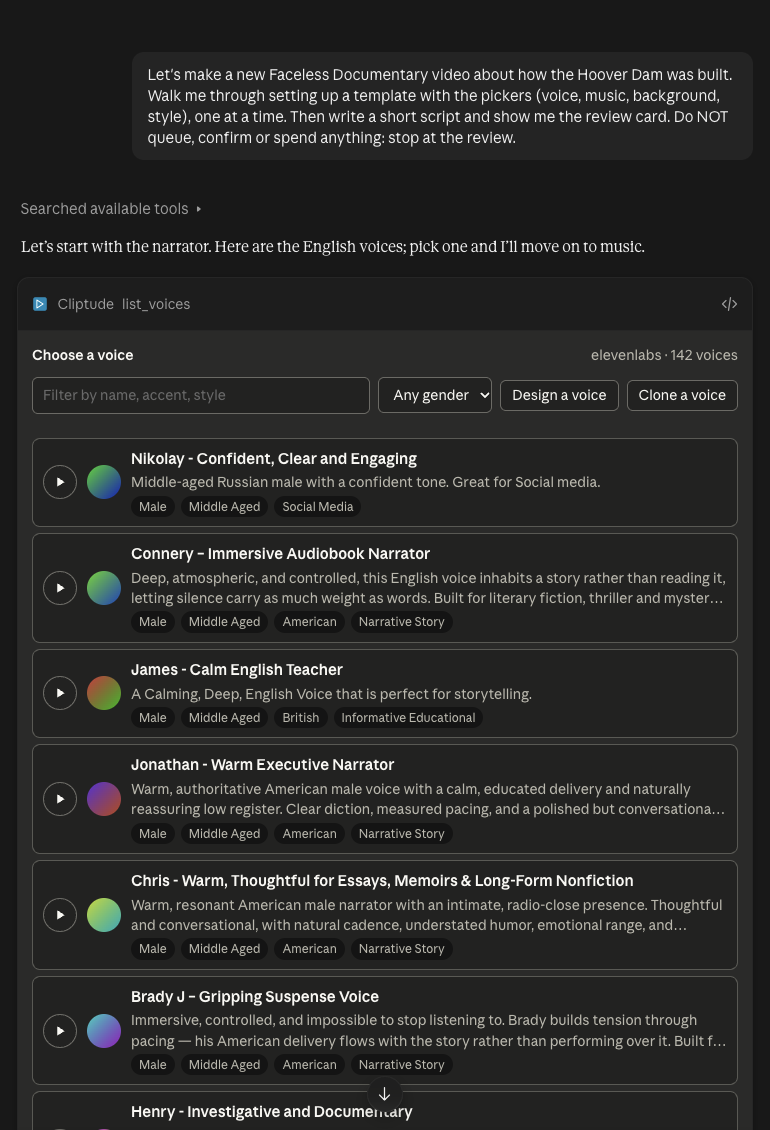
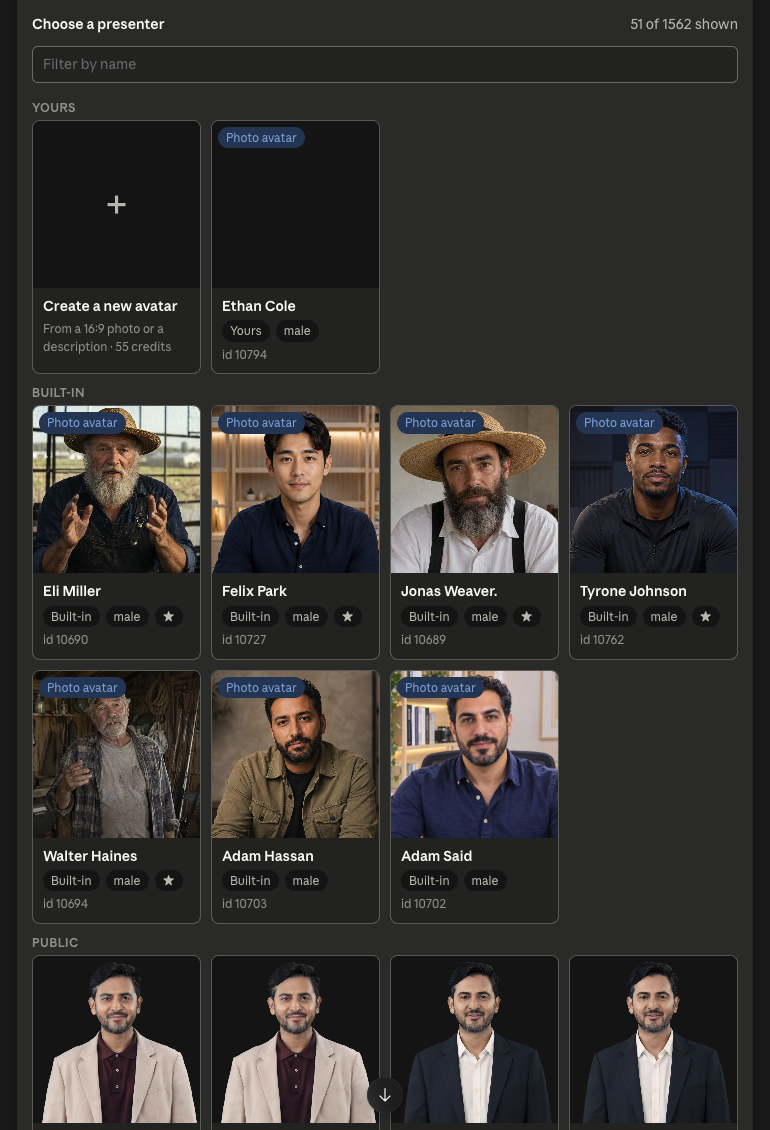
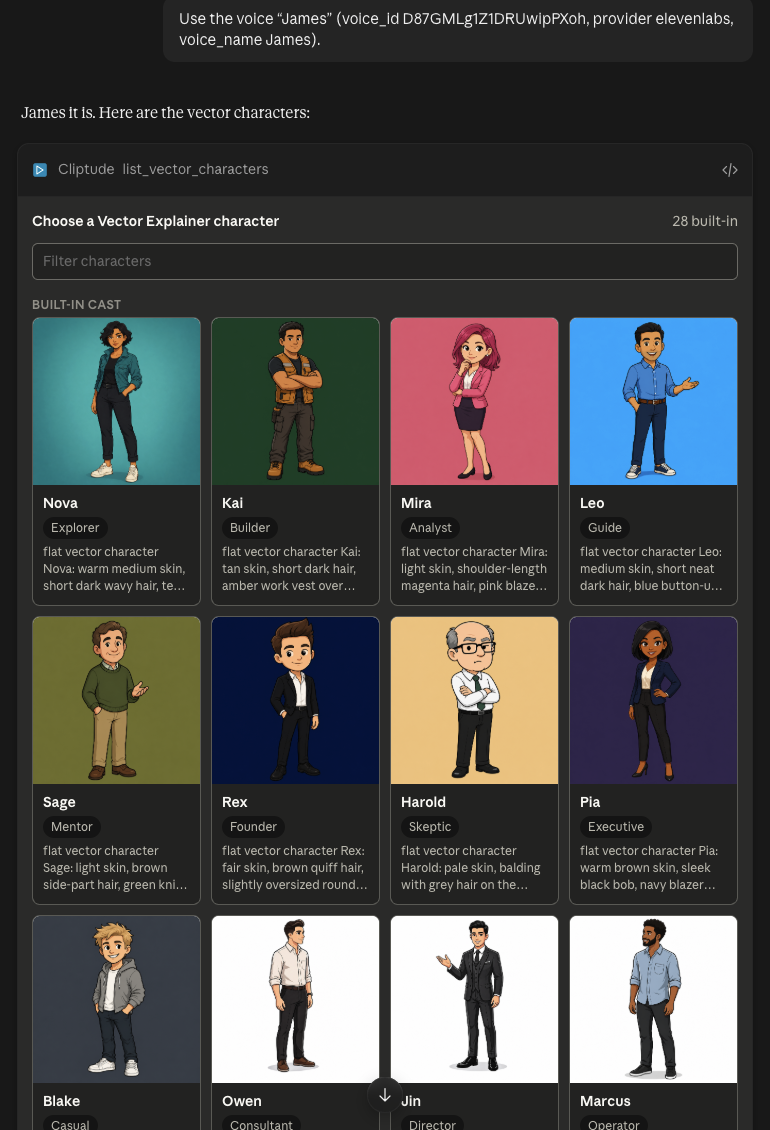
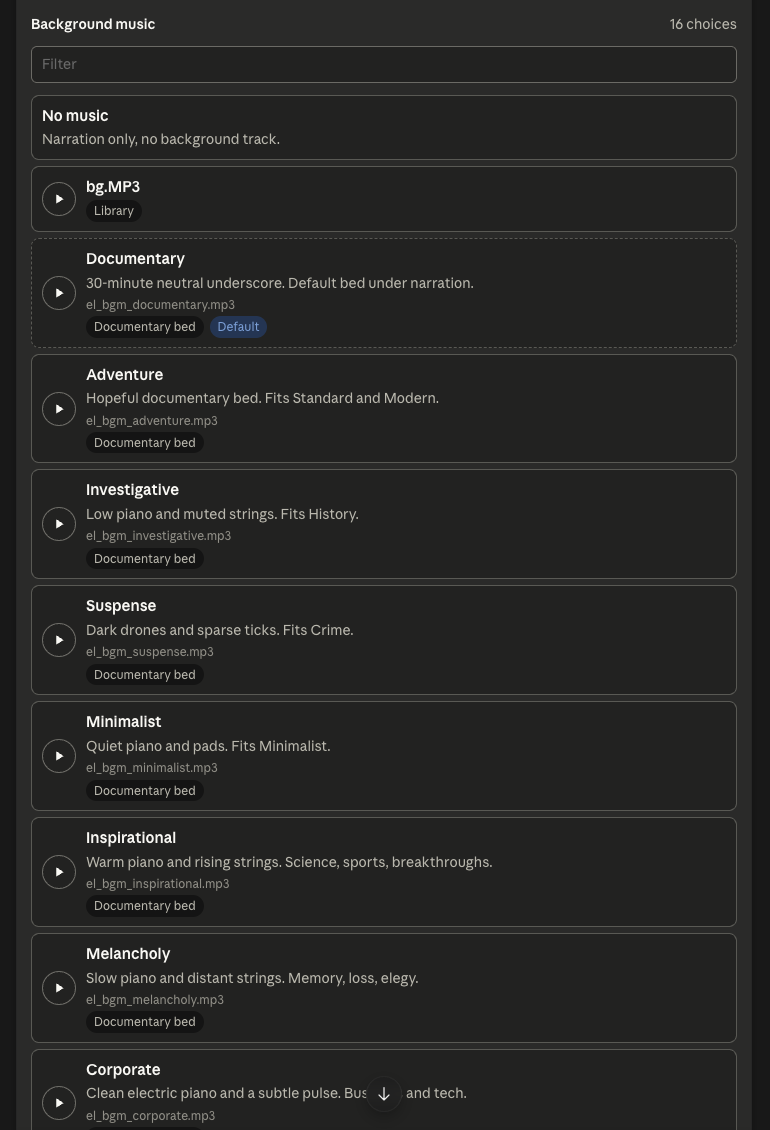
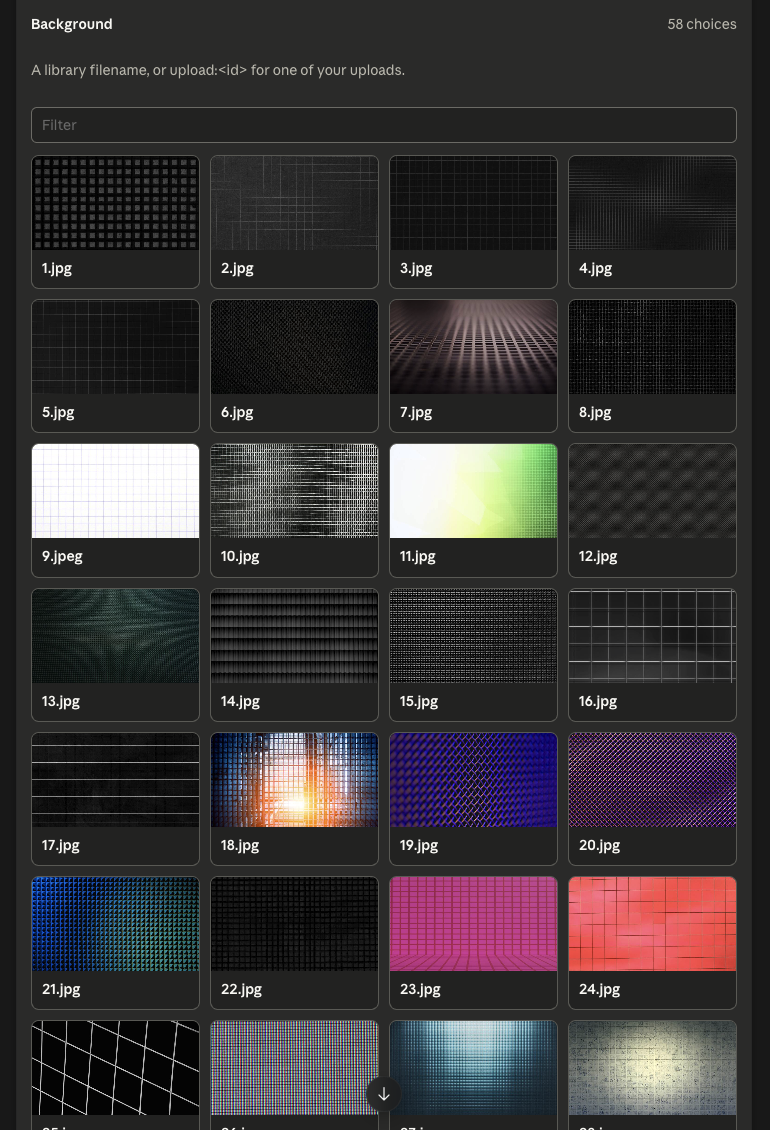
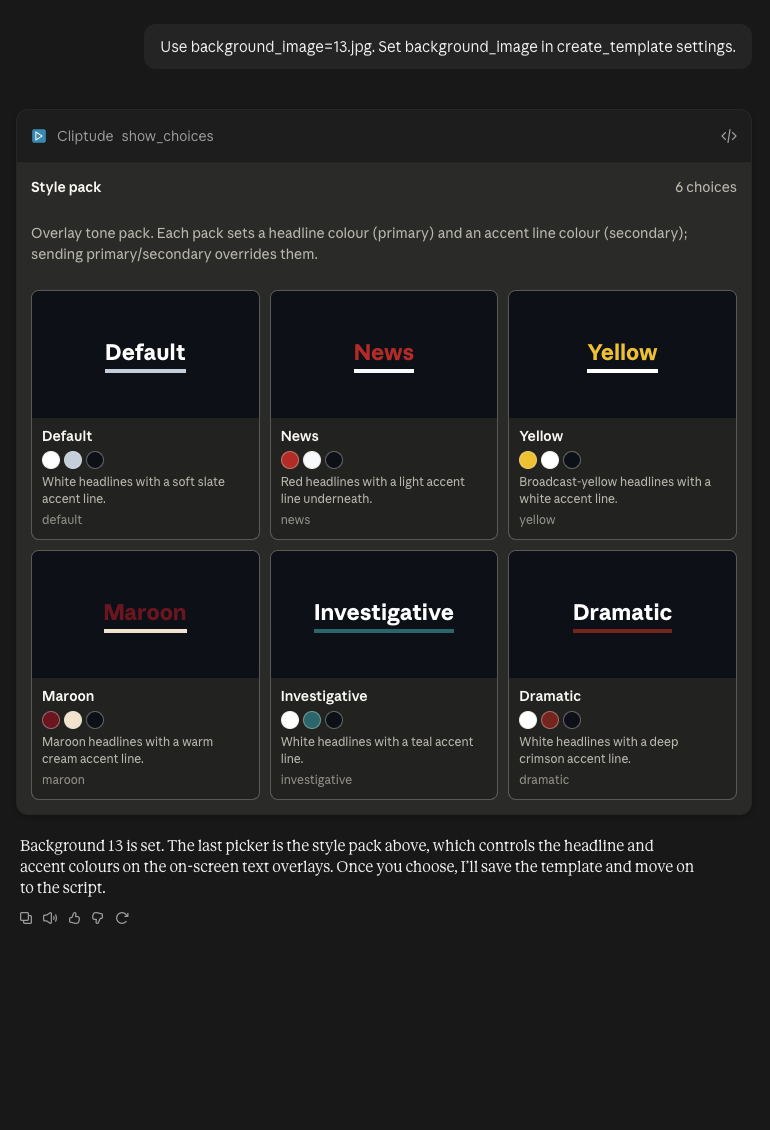
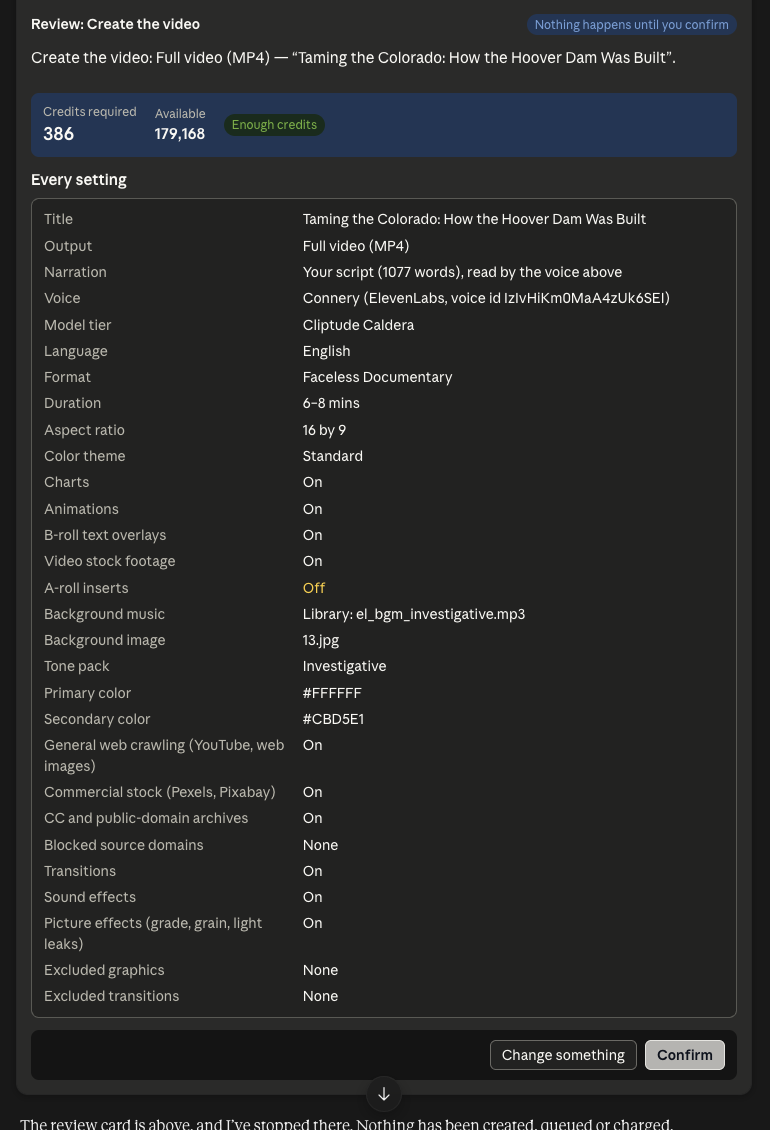
On 2 November 2026 we asked Claude on claude.ai for three videos (a Faceless Documentary on how the Hoover Dam was built, a Vector Explainer on the phases of the Moon and an Avatar Video on spotting phishing emails), with every setting chosen through Cliptude's pickers and nothing queued. Claude showed each picker inside the chat, one at a time. A click sends the choice back to Claude, which saves it on the template. For each one Claude researched and wrote the script (1,077 words for the Hoover Dam) and stopped at the review card. Nothing is created or charged until you press Confirm.
Which videos can Claude make?
Each format is 16:9 and made from a template you save once. On agent-planned formats the agent chooses every shot and graphic itself.
Faceless Documentary Agent-planned
Narrated documentaries over real footage, archive pictures, maps and charts.
Faceless Top 10 Agent-planned
Ranked countdowns with a numbered title on every entry, ending on number one.
Avatar Video Agent-planned
An AI presenter on screen, with footage and graphics around it.
Vector Explainer Agent-planned
Flat 2D vector scenes, with an optional recurring character.
Talking Head
Your own camera recording, with captions, B-roll and music added.
What the Cliptude MCP server can do
44 tools in 7 groups: templates, voices and avatars (9), making a video (8), product videos from a store (4), agent-planned videos (12), your own narration (2), editing a finished video (8), account (1). Your agent sees them all once connected; estimate_credits, create_job and get_job are the ones most videos need. Every tool, with what it does
Troubleshooting
- The connector is greyed out on a Team or Enterprise plan: an Owner has to add it under Organization settings → Connectors first.
- Claude Desktop shows a local server instead: local servers in claude_desktop_config.json are a separate mechanism. Use Customize → Connectors for the remote Cliptude URL.
Frequently asked questions
Can Claude make videos?
Not on its own: Claude writes text and code but does not render video. With the Cliptude connector it directs finished YouTube videos and Cliptude renders them.
Do I need a Cliptude API key for Claude?
No. claude.ai and Claude Desktop use OAuth: you sign in with your Cliptude Google account.
Which Claude plans support custom connectors?
Claude's help center lists Free, Pro, Max, Ultra, Team and Enterprise, with Free limited to one custom connector.
How long can a video be?
Up to an hour, in 16:9. Cliptude does not make vertical Shorts.
What does a video cost?
A faceless documentary is 22 credits a minute with your own voiceover and 40 with an ElevenLabs voice, on plans from $19/mo. Claude can call estimate_credits to quote the exact price first.
Is there a free plan?
No. Cliptude has no free plan and no free credits.
What are Claude connectors?
Connectors let Claude call outside tools and data through the Model Context Protocol. A custom connector is one you add yourself by URL, such as Cliptude's remote server; it is set up through your Claude account and works across Claude clients, including the mobile apps.
What data can Claude access through the Cliptude connector?
Only your Cliptude account, through Cliptude's tools: your templates, voices and avatars, your jobs and their status, the editor timeline of a video you open, and your credit balance. You can revoke access at cliptude.com/developers/.
How many custom connectors can I add on the free Claude plan?
One. Anthropic's help center says Free users are limited to one custom connector; Pro and higher plans have no such limit.
Can Claude's Research feature use Cliptude?
Yes. Research can call tools from remote connectors on its own, without asking again, so switch off Cliptude's job-starting tools in the Search and tools menu before you run it.
Do Claude skills work on the free plan?
Yes. Anthropic lists skills on Free, Pro, Max, Ultra, Team and Enterprise, as long as code execution is turned on.
Are skills I add on claude.ai available in Claude Code?
Yes, when you sign in to Claude Code with the same Claude account (version 2.1.273 or later). The sync is one-way, from claude.ai to Claude Code.
Make your first video from your agent
Plans from $19/mo to $875/mo, priced per finished minute; a 1-hour documentary costs from $32. Cliptude has no free plan, so watch the sample videos first to judge the output.
Keep reading
How to make videos with Claude Desktop · How to make videos with Claude Code · How to make videos with Claude Cowork · Cliptude MCP server · Full MCP docs · Make videos with AI agents
Checked 2 November 2026. Source: Claude Help Center: custom connectors using remote MCP. Source: Claude Help Center: Use skills in Claude. Source: Claude Help Center: custom connectors using remote MCP. Source: Claude: Plans and pricing. Source: OpenAI Help Center: Connecting custom MCP servers in ChatGPT. Source: OpenAI Help Center: Skills in ChatGPT. Source: OpenAI: Codex pricing (ChatGPT plan prices). Source: ChatGPT: Plans and pricing. Source: vercel-labs/skills: supported agents.