
AI product video generator for WooCommerce, Shopify and any online store
Cliptude for WooCommerce is an AI product video maker, a WordPress plugin that turns one of your products into a long educational video, from 6 minutes to an hour. Most of the video teaches something your customers search for. The closing part presents your product with your real photos, your offer and a QR code that opens the product page. You review the script and the video, then the plugin adds the finished MP4 to your media library and shows it on the product page.
Videos that teach first and sell last
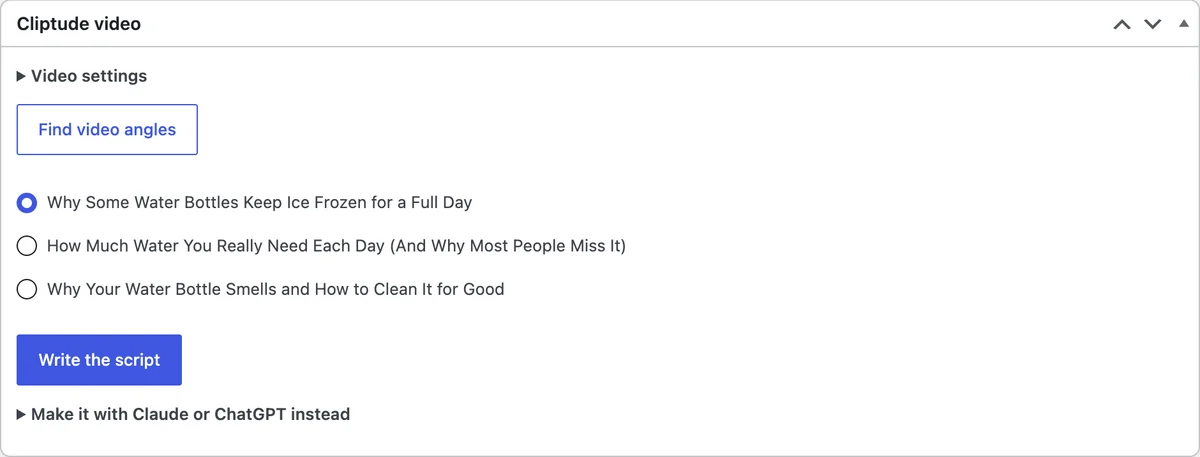
Pick a published product in your WordPress admin and Cliptude reads its public product page, then suggests three video topics. Each one is a question people already type into YouTube about the problem your product solves, not an ad for it.
About four fifths of the video answers that question with narration, footage, charts and on-screen explanations. The last fifth is your product. It is the opposite of a 15 second product clip: it is built to be found on YouTube search and to earn trust before the pitch.
What the plugin does
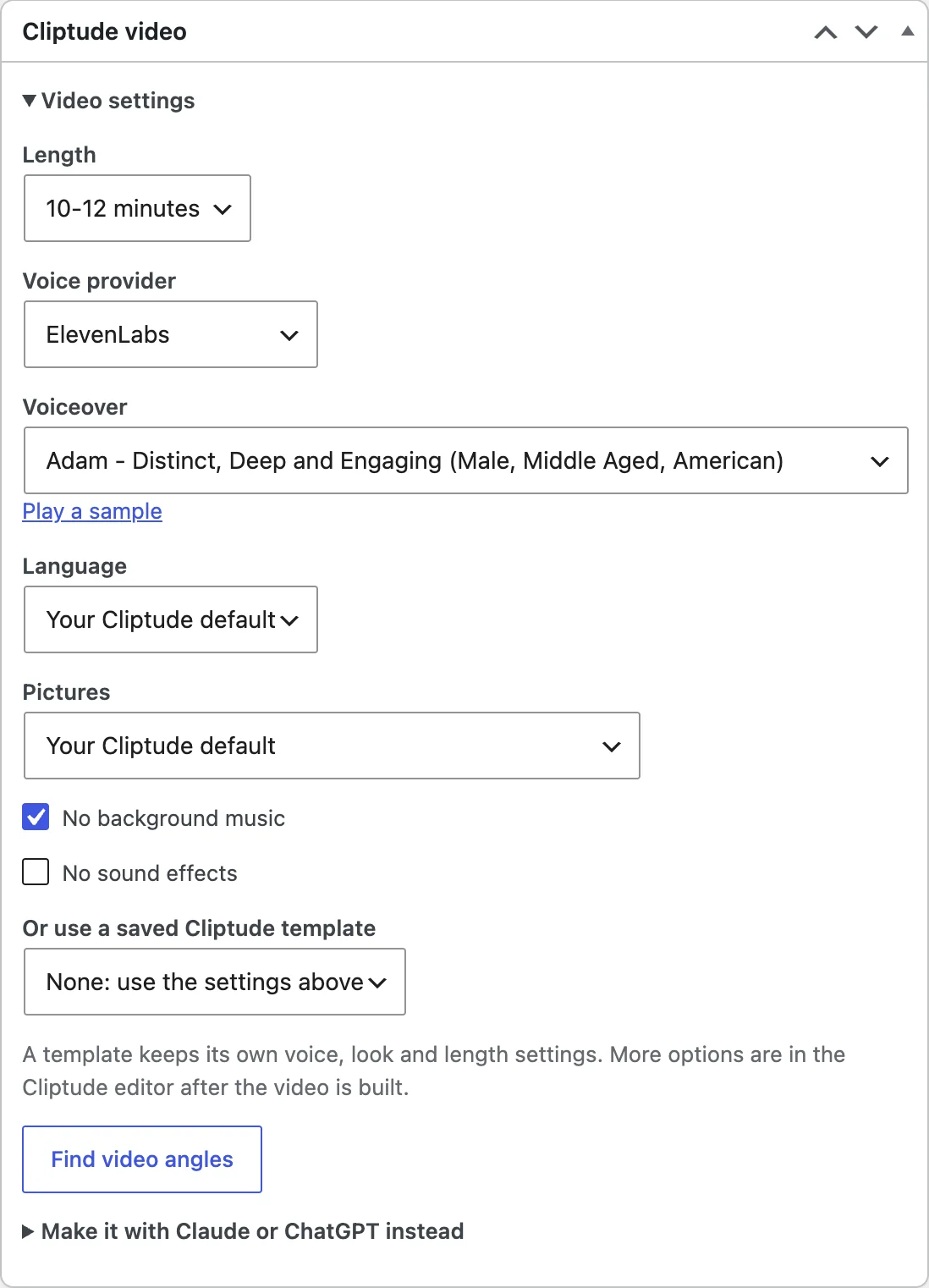
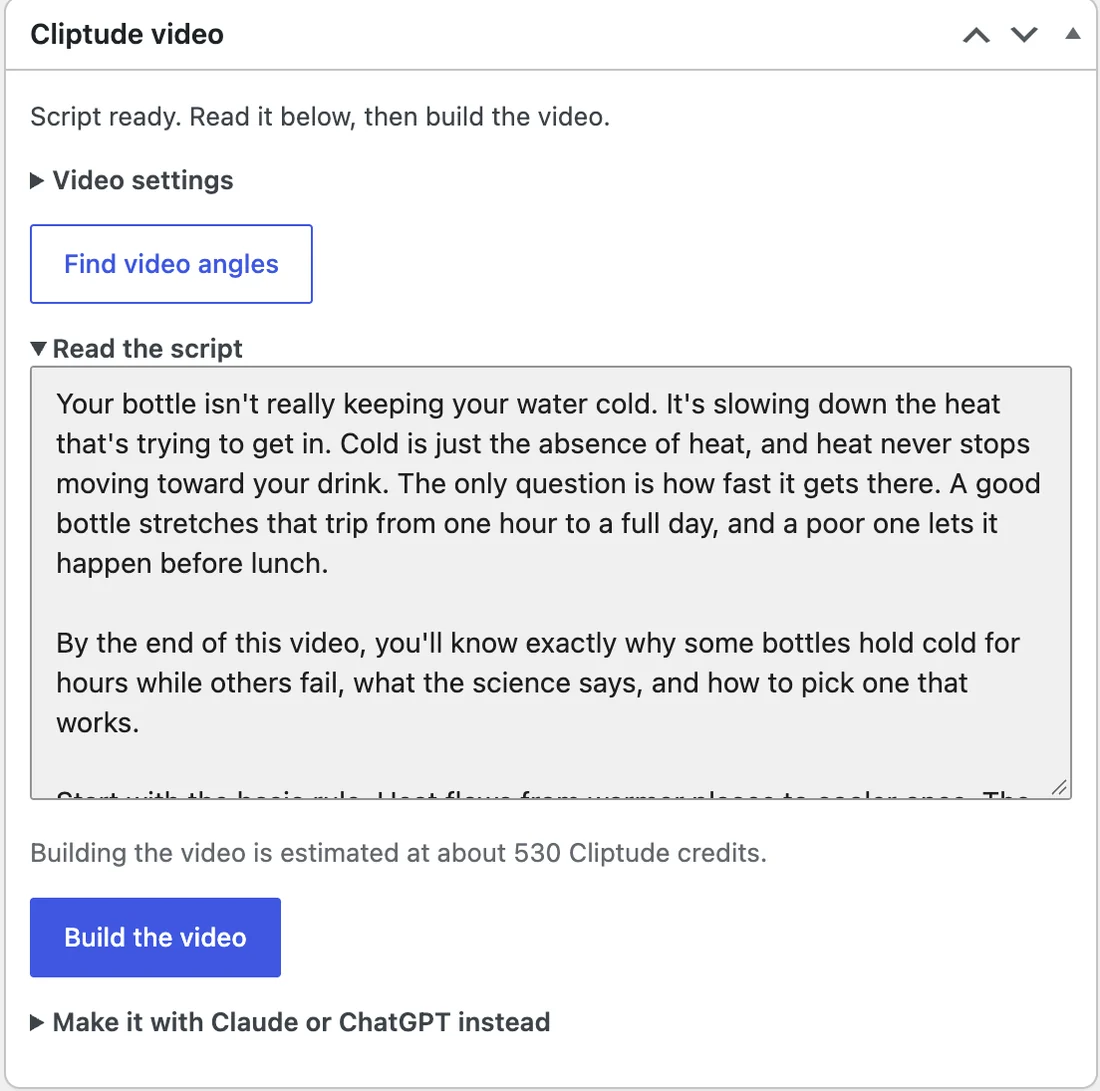
- Adds a Cliptude video box to the product edit screen: find angles, write the script, build the video.
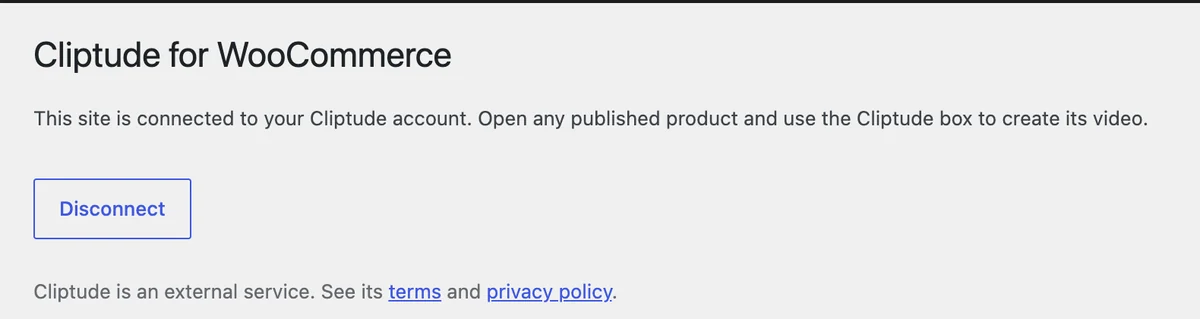
- Connects with one click. You sign in to Cliptude and allow access on cliptude.com, and nothing is sent before you do.
- Downloads the finished video into your own media library and shows it below the product summary, or anywhere with the Product video block.
- Works with the block editor, block themes, High-Performance Order Storage and the Cart and Checkout blocks. It never reads or writes orders, customers or the cart.
See it in your WordPress admin
Everything happens on the product edit screen. These are screenshots of the plugin working on a test store.
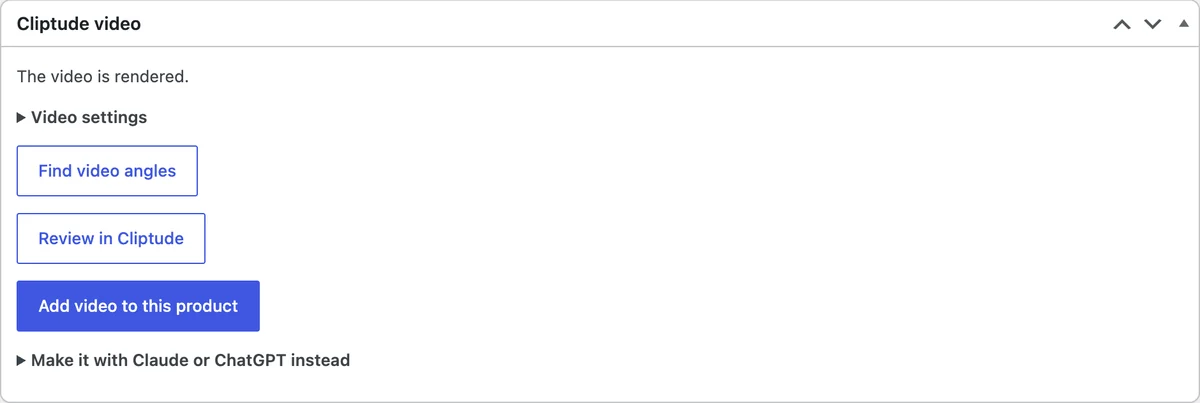
A product explainer video generator for YouTube
Cliptude is an AI YouTube video generator and explainer video generator that starts from your product. It writes the script, records the voiceover, sources the footage and builds charts and on-screen explanations, so the product explainer video teaches first and presents your product last.
How to add a video to a WooCommerce product
WordPress accepts MP4 uploads in the media library, so a finished video can be uploaded like any image and placed on a product. The Cliptude plugin does that step for you: it downloads the rendered MP4 into your media library and shows it below the product summary.
You can also paste a YouTube link into the product description, and WordPress embeds it. Many stores do both: the video on the product page, and the same video on YouTube with the product link in the description.
The video appears below the product summary, or wherever you place the Product video block. It does not replace a product image in the gallery.
Short clips or long videos?
Many product video tools turn photos into clips a few seconds long for the product gallery or social ads. That is a different job, and those tools do it well.
Cliptude is for the other end: a video of at least 6 minutes that you publish on YouTube and on your product page, where it keeps working as search traffic. If you need a 10 second loop, use a clip tool; if you want a video that explains why someone should buy, use Cliptude.
Review before anything goes live
- You review the script before anything is rendered, and change any picture, graphic, word or timing in the Cliptude editor.
- The plugin adds the video to your product only when you click the button, after the video is rendered.
- Upload the MP4 to YouTube with the product link in the description, which is where the narration sends viewers.
Make a WooCommerce product video from Claude, ChatGPT, Codex or Cursor
You do not need the plugin to start. Connect Cliptude to an AI assistant once over MCP, then give it the public address of any WooCommerce product page. Cliptude reads the page the way a visitor does, suggests three video topics, writes the script for you to approve, and builds the video with your product photos in the closing section. The server has 44 tools.
When the video is finished, add it to the product with the plugin's Add video to this product button, or upload the MP4 to your media library yourself.
Connect Cliptude to your assistant
- Claude (claude.ai and Claude Desktop): open Customize, then Connectors, and add a custom connector named Cliptude with the URL below. Click Connect and sign in.
- ChatGPT (Business or Enterprise/Edu, on the web): open Plugins, click +, then Add custom MCP server. Name it Cliptude, paste the URL below, keep OAuth and create it as a plugin.
The server address is the same for every assistant. Claude and ChatGPT use their settings menus; Claude Code, Codex and Cursor take a command or a few lines of config.
https://mcp.cliptude.com/mcpclaude mcp add --transport http cliptude https://mcp.cliptude.com/mcp
# then run /mcp inside Claude Code and sign incodex mcp add cliptude --url https://mcp.cliptude.com/mcp
codex mcp login cliptude{
"mcpServers": {
"cliptude": {
"url": "https://mcp.cliptude.com/mcp"
}
}
}Setup for every client: Claude, ChatGPT, Codex, Cursor and more →
Copy this prompt to make a product video
Paste it into any connected assistant and replace the address with your product page. It makes the assistant show you the angles, the price and the script before it builds anything. The second prompt is for stores that are not on WooCommerce: Cliptude reads any public product page that has product markup. Pages behind a login or without a product title cannot be read.
Use Cliptude to make a product video for my WooCommerce product: https://YOUR-STORE.com/product/YOUR-PRODUCT/

1. Read the product page and show me the three video angles. Wait for me to pick one and a length (6-8, 10-12 or 18-20 minutes).
2. Estimate the credits and tell me my balance before starting anything.
3. Write the script and show it to me. Do not build the video until I approve the script.
4. After I approve, build the video. Then review every scene yourself for pictures that show another brand, empty or placeholder pictures and leftover text, and give me the editor link.
5. Do not render the final MP4 until I say so.

Never invent a discount code, review, rating or product spec.Use Cliptude to make a product video for my product, from any public product page (BigCommerce, Wix, Squarespace, Etsy or your own site): https://YOUR-STORE.com/product/YOUR-PRODUCT/
1. Read the product page and show me the three video angles. Wait for me to pick one and a length (6-8, 10-12 or 18-20 minutes).
2. Estimate the credits and tell me my balance before starting anything.
3. Write the script and show it to me. Do not build the video until I approve the script.
4. After I approve, build the video. Then review every scene yourself for pictures that show another brand, empty or placeholder pictures and leftover text, and give me the editor link.
5. Do not render the final MP4 until I say so.
Never invent a discount code, review, rating or product spec.More prompts to try
Each one is a single request you can paste and change.
Use Cliptude to read https://YOUR-STORE.com/product/YOUR-PRODUCT/ and show me three video angles. Do not start a video yet.How many credits would a 10 to 12 minute video for https://YOUR-STORE.com/product/YOUR-PRODUCT/ cost? Estimate it and tell me my balance before anything starts.Read these three product pages, suggest the angle with the most search demand for each, then draft one script for me to review: [paste three product URLs].My Cliptude video is ready to review. Check every scene for pictures that show another brand, then tell me what to fix before I render the MP4.For every product URL in products.txt, estimate the Cliptude credits and start the ones under 800 credits. Write each job id and link to jobs.md.Not on WooCommerce? It works with any public product page
- Shopify: install the Cliptude app, which also adds the video to the product and writes a blog article.
- BigCommerce, Wix and Squarespace: make the video and upload it to YouTube. BigCommerce and Wix both document adding a YouTube video to a product, and Squarespace has video blocks for pages. Check the current steps in each help center.
- Etsy: listing videos are short clips, and Cliptude only makes videos of at least 6 minutes. Use Cliptude for the long YouTube video that sends viewers to your shop, not for the listing video itself.
The plugin is for WooCommerce, but the video maker is not. Over MCP, Cliptude reads WooCommerce stores through their public Store API, Shopify stores through their public product data, and any other store through the product markup on the page. That covers BigCommerce, Wix, Squarespace, Etsy and a custom site, as long as the product page is public and carries a product title, price and pictures.
Pages behind a login or a password cannot be read, and a page with no product markup fails with a clear message. In that case paste the product details into the chat and the assistant writes from those.
Let an assistant drive your own WordPress site
The plugin also registers abilities with the WordPress Abilities API. If you add the WordPress MCP Adapter to your site, an assistant can draft, build, check and add a product video inside WordPress. Use an Application Password for a dedicated user with only the rights it needs, and revoke it when you are done.
How to make a product video for your WooCommerce store
- Install and activate Cliptude for WooCommerce. WooCommerce must be active too.
- Go to WooCommerce, then Cliptude, and click Connect. Sign in to Cliptude and allow access.
- Open a published product and use the Cliptude video box to find three educational video topics.
- Pick a topic and a length, then write the script and read it.
- Build the video. When it is ready, watch it and edit anything in the Cliptude editor, then render the MP4.
- Click Add video to this product. The MP4 goes into your media library and shows on the product page.
Product videos made with Cliptude

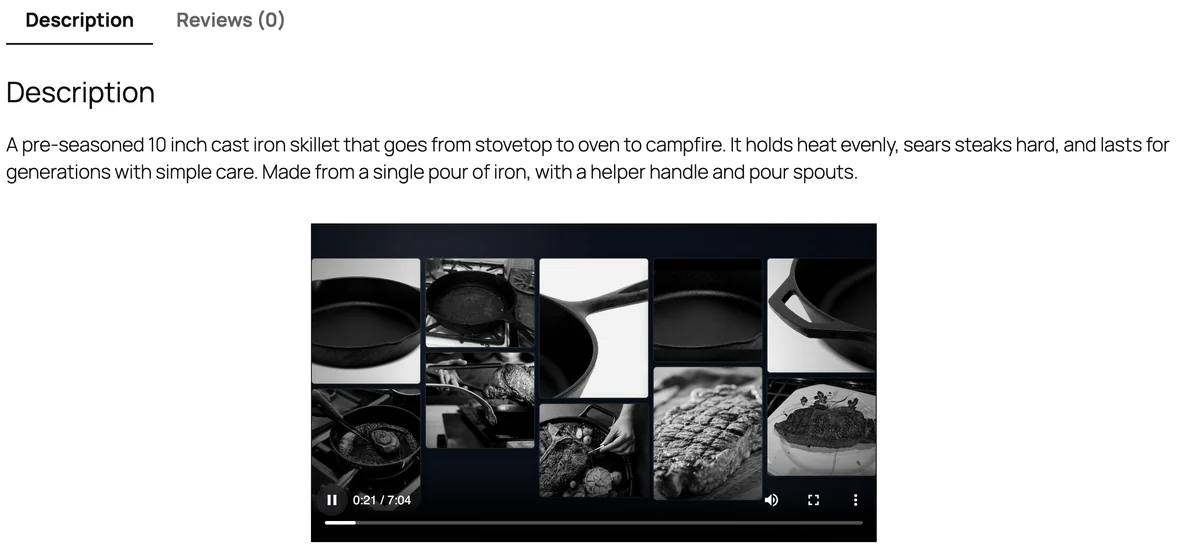
Why some pans sear better: a WooCommerce product video
Made from a WooCommerce product page. Most of the video teaches why some pans sear better, then it presents the Forge Cast Iron Skillet with the store's photos, the price and a scan-to-shop QR code.
Limits to know first
- Long-form only: 16:9 videos from 6 minutes to an hour. It does not make 10 second product loops, ads or Shorts.
- Cliptude reads the public product page, so the product must be published. Draft and private products cannot be used.
- The product section uses the photos already on your product, so it is only as good as those photos.
- The plugin sends the product page address and your choices to Cliptude, and downloads the finished video. It does not read customers or orders.
- Videos use credits on your Cliptude account, billed on cliptude.com with plans from $19/mo. Cliptude has no free plan.
Related
Shopify product video maker · AI explainer video maker · Script to video · AI agent video maker · Pricing
Frequently asked questions
What is the best way to make a product video for WooCommerce?
It depends on the job. For a product-gallery loop, use a tool that animates your photos into a short clip. For a video that explains why someone should buy and can be found on YouTube, Cliptude makes an educational video of at least 6 minutes that presents your product at the end.
Does Cliptude use my own product photos?
Yes. The closing product section is built from the photos on your product page. Cliptude does not replace your product with a generated one.
Can I add the video to my product page?
Yes. When the video is rendered, click Add video to this product. The plugin saves it to your media library and shows it below the product summary, or where you place the Product video block.
Does the plugin work with my theme?
Block themes use the Product video block, and classic themes show the video automatically below the product summary. It is compatible with High-Performance Order Storage and the Cart and Checkout blocks.
Do I need a Cliptude account?
Yes. Connecting the plugin signs you in to Cliptude on cliptude.com, where your plan and credits live.
How long are the videos?
From 6 minutes to an hour, in 16:9 for YouTube.
Is there an AI video generator for WooCommerce?
Yes. Cliptude for WooCommerce writes the script, records the voiceover, sources footage and graphics and renders the video from one of your products, then adds the finished video to the product page. Most video plugins for WooCommerce only display a video you already have.
How is this different from a product video gallery plugin?
Gallery and featured-video plugins show a video you upload or link, usually a short clip. Cliptude makes the video: a long educational video that ends with your product. The finished MP4 then goes into your media library and onto the product page.
Does it make short product clips or social ads?
No. Cliptude makes 16:9 videos of at least 6 minutes. For a 10 second product loop, a UGC-style ad or a Short, use a short-form tool, and use Cliptude for the long video that explains why someone should buy.
Can I upload a video directly to a WooCommerce product?
Yes. WordPress accepts MP4 files in the media library. The Cliptude plugin uploads the finished video there for you and shows it on the product page, so you do not need to upload it by hand.
Can I add a YouTube video to a WooCommerce product?
Yes. Paste the YouTube link into the product description and WordPress embeds it. A Cliptude video suits this well: it is made for YouTube, and the narration sends viewers to the product link in the description.
Does it put the video in the product image gallery?
No. The video shows below the product summary, or where you place the Product video block. It sits beside your product photos and does not replace them.
Does it work with BigCommerce, Wix or Squarespace?
Yes, through an AI assistant. Give it the public product link and Cliptude reads the page's product markup, suggests the angles and builds the video. There is no plugin for those platforms, so upload the MP4 to YouTube and add the link to the product description.
Does it work with Shopify?
Yes. There is a Cliptude app for Shopify that also adds the video to the product media and writes a blog article. It reads Shopify stores through their public product data.
Can I use it for Etsy listing videos?
No. Etsy listing videos are short clips, and Cliptude makes videos of at least 6 minutes. Use it for the long YouTube video that sends viewers to your Etsy shop.
What if my product page cannot be read?
Pages behind a login or password, or with no product markup, cannot be read. Paste the product name, description, price and picture links into the chat and the assistant writes the video from those.
Can I make videos from Claude or ChatGPT?
Yes. Cliptude has an MCP server with 44 tools, and the plugin registers abilities for the WordPress MCP Adapter.
Compare Cliptude plans
Plans from $19/mo, priced per finished minute. Cliptude has no free plan; watch the sample videos first to judge the output.
Keep researching
Best AI video generator for YouTube · AI video price per minute (research) · AI video for marketing · Cheapest AI video generator · All alternatives