
Shopify product video maker for long-form YouTube videos
Cliptude is a Shopify app that turns one of your products into a long educational video, from 6 minutes to an hour. Most of the video teaches something your customers search for. The closing part presents your product with your real photos, a comparison table, feature callouts, your offer and a QR code that opens the product page. You review and edit it, then publish it to your store or upload it to YouTube.
Videos that teach first and sell last
Pick a product in the app and Cliptude reads its page, then suggests three video topics. Each one is a question people already type into YouTube about the problem your product solves, not an ad for it.
About four fifths of the video answers that question with narration, footage, charts and on-screen explanations. The last fifth is your product. This is the opposite of a 15 second product clip: it is built to be found on YouTube search and to earn trust before the pitch.
What goes into the product section
- Your real product photos, composited into a hero shot. Cliptude does not generate a different-looking product.
- A comparison table and feature callouts drawn around the pack.
- An offer card with the price and your discount code. The code only appears if you enter one: Cliptude never invents a code.
- A scan-to-shop QR code that stays on screen from the first mention of the product to the end and opens the product page.
Short clips or long videos?
Many Shopify video apps turn product photos into clips a few seconds long for the product gallery or social ads. That is a different job, and those apps do it well.
Cliptude is for the other end: a video of at least 6 minutes that you publish on YouTube and on your blog and product page, where it keeps working as search traffic. If you need a 10 second loop for the product gallery, use a clip tool; if you want a video that explains why someone should buy, use Cliptude.
Review, edit and publish from your admin
- Review the script before anything is rendered, and change any picture, graphic, word or timing in the editor.
- Publish to your store: Cliptude writes a blog article from the video, saved as a hidden draft unless you tick Publish now, and can add the video to the product's own media next to your photos. Nothing goes live until you confirm.
- Upload the MP4 to YouTube with the product link in the description, which is where the narration sends viewers.
Make the same video from Claude, ChatGPT or Cursor
The app runs inside your Shopify admin, and the same product videos can be made from an AI assistant over MCP. The assistant fetches your product, shows the three angles, drafts the script for you to approve, builds the video and reviews every scene before you see it. The server has 44 tools.
How to make a product video for your Shopify store
- Open Cliptude from Apps in your Shopify admin. It signs you in with your store, with no separate account.
- On Home, search your products and pick one. Cliptude suggests three educational video topics.
- Pick a topic. Optionally add a discount code that exists in your store, a link for viewers and real customer reviews.
- In the video wizard choose the length, voice, style and music. The Review tab shows the price before anything is spent.
- Cliptude builds the video. When it is ready, watch it and edit anything in the editor.
- Render the MP4, then publish it to your blog and product page, or upload it to YouTube.
Product videos made with Cliptude for a Shopify store

Running in the Heat: from a pasted script
Made from a script written for the store. It teaches how to drink before, during and after a run in the heat, then presents Citrus Lift with the store's photos, an offer card and a scan-to-shop QR code.

Top 10 product video
The countdown format: ten tips about the topic, with the product presented in the closing minutes with the store's photos and QR code.

From an uploaded voiceover
Made from audio recorded by the merchant. Cliptude transcribed it and built the footage, graphics and product section around it.

From a talking-head recording
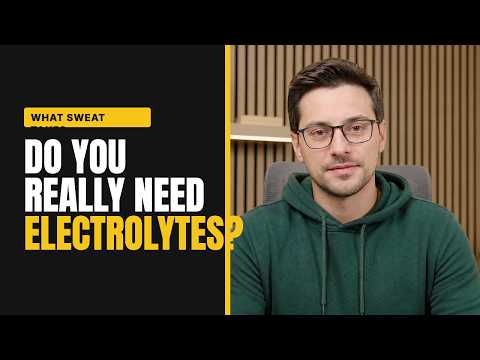
Made from a video of a presenter talking. The presenter stays on screen and Cliptude cuts to pictures and product boards.
Avatar product video
An AI presenter speaks some of the scenes on camera, mixed with footage and charts.

Made from Claude over MCP
Claude picked the angle, checked the script against sources and reviewed every scene before the render, using Cliptude's MCP tools.
Limits to know first
- Long-form only: 16:9 videos from 6 minutes to an hour. It does not make 10 second product loops, ads or Shorts.
- The product section uses the photos already on your product page, so it is only as good as those photos.
- The app reads your products and blogs and writes product media and blog articles only when you confirm. It does not read customers or orders.
- Your plan is billed by Shopify on your Shopify invoice, with its own plans inside the app. On cliptude.com plans start at $19/mo. Cliptude has no free plan.
Related
Cliptude for Shopify docs · AI explainer video maker · Script to video · AI agent video maker · Pricing
Frequently asked questions
What is the best way to make a product video for Shopify?
It depends on the job. For a product-gallery loop, use a tool that animates your photos into a short clip. For a video that explains why someone should buy and can be found on YouTube, Cliptude makes an educational video of at least 6 minutes that presents your product at the end.
Does Cliptude use my own product photos?
Yes. The closing product section is built from the photos on your product page, composited into the video. Cliptude does not replace your product with a generated one.
Can I add the video to my product page?
Yes. When you publish, tick the option to add the video to the product's media. Shopify takes a few minutes to process it before it shows.
Will it invent a discount code?
No. A code appears in the video only if you enter one that exists in your store.
Do I need a separate Cliptude account?
No. Installing the app creates the account for your store, and billing goes through your Shopify invoice.
How long are the videos?
From 6 minutes to an hour, in 16:9 for YouTube.
Can I use my own script or voiceover?
Yes. Paste a script, upload a voiceover or upload a recording of yourself, and Cliptude builds the visuals and the product section around it.
Can I make videos from Claude or ChatGPT?
Yes. Cliptude has an MCP server with 44 tools, so an AI assistant can fetch your product, draft the script, build and review the video for you.
Compare Cliptude plans
Plans from $19/mo, priced per finished minute. Cliptude has no free plan; watch the sample videos first to judge the output.
Keep researching
Best AI video generator for YouTube · AI video price per minute (research) · AI video for marketing · Cheapest AI video generator · All alternatives